A Stock Balance Looks Simple Until the Warehouse Starts Moving
For a small inventory, a spreadsheet can work very well. There is a product, a quantity, a price, and perhaps separate columns for receipts and sales. Everything is visible and easy to edit.
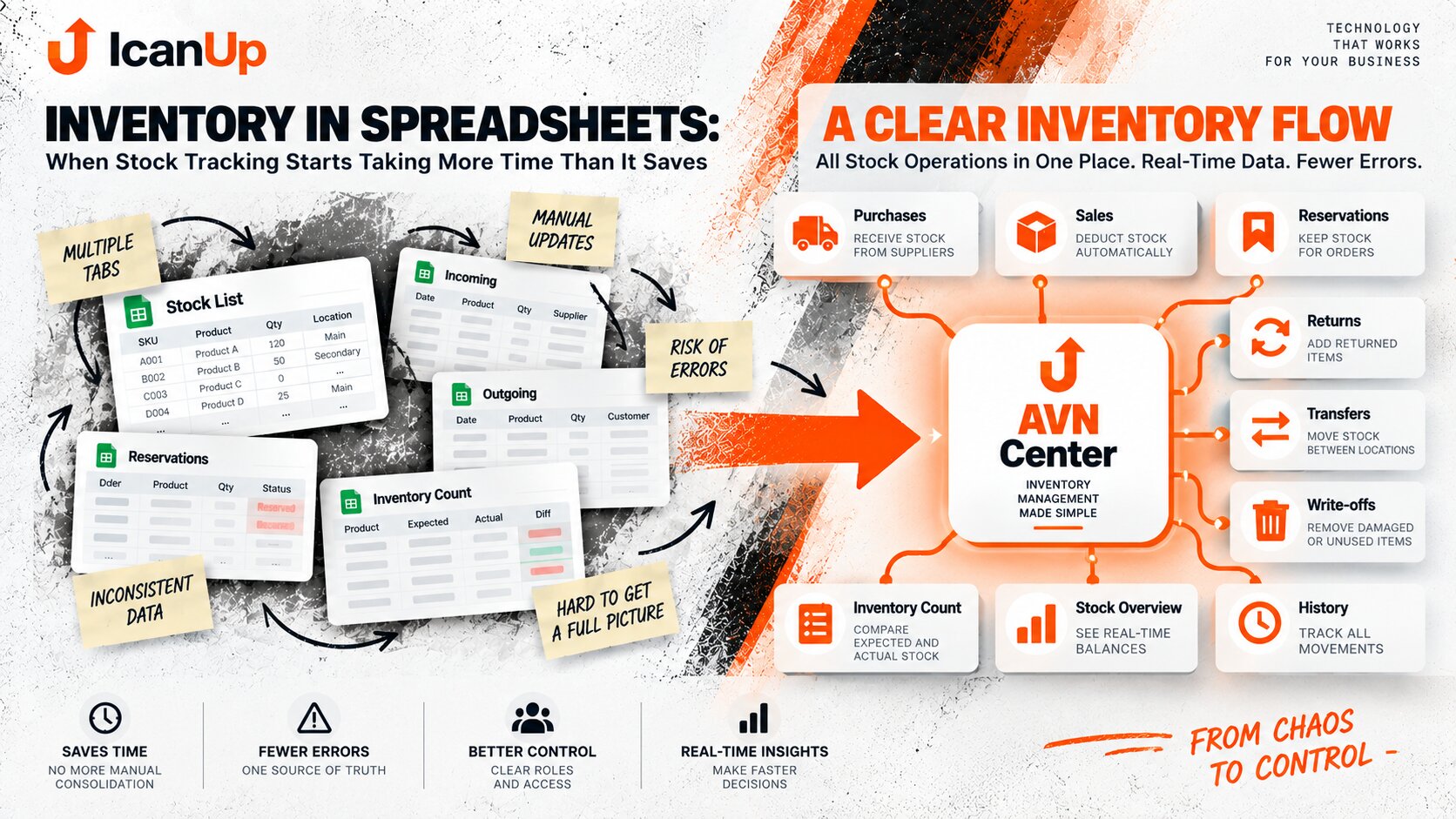
But inventory rarely stays that simple. Reservations appear, along with returns, write-offs, transfers between locations, different units, goods in transit, and physical inventory counts.
At that point, the important question is no longer only how much stock the spreadsheet shows. The business needs to understand why that quantity exists and whether people can rely on it.
One Balance - Several Different Questions
A value of "100" in a quantity column still does not answer the most useful question: how much can the business actually use or sell right now?
Physically in Stock
How many units are actually present in a specific warehouse or storage location.
Reserved
Part of the stock may already be committed to a customer or linked to an order.
Available to Sell
This is not always the same as physical stock, especially when reservations or other restrictions exist.
In Transit
The stock belongs to the business but is not yet available at the location where it is needed.
When the Spreadsheet Starts Hiding the Real Picture
At the beginning: product + quantity + receipt + sale.
A few people know the spreadsheet, changes are understandable, and mistakes are easy to find.
After growth: multiple locations, reservations, returns, write-offs, transfers, inventory counts, and manual corrections.
One missing or delayed update can now affect sales, purchasing, and reporting.
What Usually Makes Stock Tracking Harder
Even a well-designed spreadsheet starts accumulating manual rules as inventory operations grow.
Multiple Warehouses or Locations
The business needs to know not only the total quantity, but where stock is and how it moves between locations.
Reservations for Orders
The goods physically exist, but some of them should no longer be available for a new sale.
Returns and Write-offs
Not every movement is simply a receipt or a sale, but every movement still needs to affect the balance correctly.
Delayed Updates
If an operation is entered later or forgotten, the spreadsheet can show a convincing but incorrect number.
An Inventory Count Shows How Much You Can Trust the Records
A physical inventory count is often the moment when the digital balance meets reality.
People count the goods, compare actual quantities with recorded values, investigate discrepancies, review recent movements, and try to understand where an error appeared.
If every inventory count ends with manually rewriting dozens of values, searching old file versions, or asking several people why the numbers differ, the issue is no longer only the count itself. The business lacks movement history, controlled adjustments, and a clear source of truth.
What a Controlled Inventory Count Can Look Like
It does not have to begin with complex hardware. The important part is a clear process with a reliable history.
Capture the Expected Balance
The system knows what quantity was expected when the count started.
Record the Physical Quantity
The employee enters the actual quantity for the products or storage area being checked.
Show the Difference
Expected and actual values are compared without manually combining several spreadsheets.
Explain and Approve the Adjustment
A discrepancy does not simply overwrite a number. The reason, responsible person, and change history remain visible.
Good inventory tracking should answer not only "how much?", but also "where?", "why?", "what is reserved?", and "what changed?".
The Convenience of Spreadsheets Is Still Worth Preserving
What Is Worth Carrying Into a Better System
Inventory software should not become slower than a spreadsheet simply because it adds more control.
Fast Search and Editing
People should be able to find an item, check its balance, and perform the needed action without excessive navigation.
A Clear Tabular View
When working with many rows is natural for the process, a spreadsheet-like interface may still be the most efficient choice.
Bulk Operations
If employees regularly work with dozens of items at once, the system should support that instead of forcing them to open every item separately.
Visible Calculations
If people need to understand how a number was produced, the new system should make that logic transparent rather than hiding everything behind a button.
Practical Questions About Inventory in Spreadsheets
Using a spreadsheet does not automatically mean a company urgently needs a replacement. The context matters.
Can inventory be managed successfully in Google Sheets or Excel?
When is it worth considering a dedicated system?
Does the entire inventory operation need to move at once?
Does a better system have to abandon the spreadsheet-style interface?
How Does Inventory Counting Work in Your Business Today?
Do you count stock in Google Sheets, Excel, existing business software, or a combination of tools? I am interested in what already works, where discrepancies appear, and which part of the process consumes the most time.