When I kept the same S3 configuration model across local and production, I wanted to preserve not only the technical contract but also the meaning of file access.
If a file must be private in production, it should not become public locally merely because that makes browser testing easier.
Otherwise the local environment stops exercising the flow that will actually exist after deployment.
A Public Bucket Looks Convenient
Upload file | vPublic bucket | vCopy URL | vOpen in browser Very convenient. But the access flowis no longer the sameDuring local development it is tempting to make the bucket public.
Testing becomes easy: copy the object URL and open it in the browser.
But if production access requires user authorization, this local flow bypasses the most important part of the behavior.
A Private Object Should Not Be Accessible Just Because Its Path Is Known
Known object path private/video/example.mp4 | vDirect anonymous request | XNo permanent public access Access must come throughan allowed application flow.For a private file, knowing the object path should not be enough to gain access.
A user may know the filename or even the full object key, but that should not make anonymous access possible.
This is the behavior I want to exercise locally as well.
Private Storage Does Not Require a Different Storage API
Storage::disk('s3')->put( $path, $contents,);I still store the object through Laravel's standard S3 disk.
Privacy does not mean the application needs another driver or a separate PrivateMinioService.
It means the storage service should not expose permanent anonymous access to that object.
I Do Not Mark a Private File Public Just for Local Testing
Storage::disk('s3')->put( $path, $contents, 'public',);Storage::disk('s3')->put( $path, $contents,);If the system says a file is private, I do not pass public merely because I want to open it quickly through a direct URL.
Otherwise the test succeeds precisely because I removed the restriction I was supposed to verify.
I Do Not Open the Entire Bucket for One Convenient Flow
Private bucket object A -> privateobject B -> privateobject C -> private Temporary local shortcut: "Make bucket public" | v A, B, C becomeanonymous-accessibleAn especially risky shortcut is making the whole local bucket public just to avoid thinking about access to individual files.
The local system can then no longer reveal that some screen accidentally depends on a permanent public URL.
I prefer keeping the bucket private and making the application use the intended access mechanism from the beginning.
A Private Bucket Does Not Replace Application Authorization
User requests file | vApplication | | authorize? vAllowed | vControlled storage access | vPrivate objectThese two layers should remain separate.
A private bucket protects the object from permanent anonymous access.
The application decides whether a particular user is allowed to receive that file at all.
Private storage therefore does not replace authorization.
A Permanent Direct URL Should Not Become Part of the Private File Model
Database file_url =https://storage.example/private/video.mp4 Application later assumes: "If I have the URL,I can always open the file."When a file is always available through a permanent URL locally, that assumption easily spreads through the system.
The URL gets stored in the database, returned from APIs, or inserted directly into the interface.
Once production storage becomes private, it becomes clear that the code depended on a property that should never have been part of the contract.
For a Private File the Object Key Matters More Than a Permanent Public URL
private/support-video/4f88b7a1-example.mp4For private storage, it is enough to know where the object lives.
The access mechanism can be determined when access is actually requested.
This avoids coupling database state to a permanently accessible public URL.
A Private File Needs a Controlled Read Path
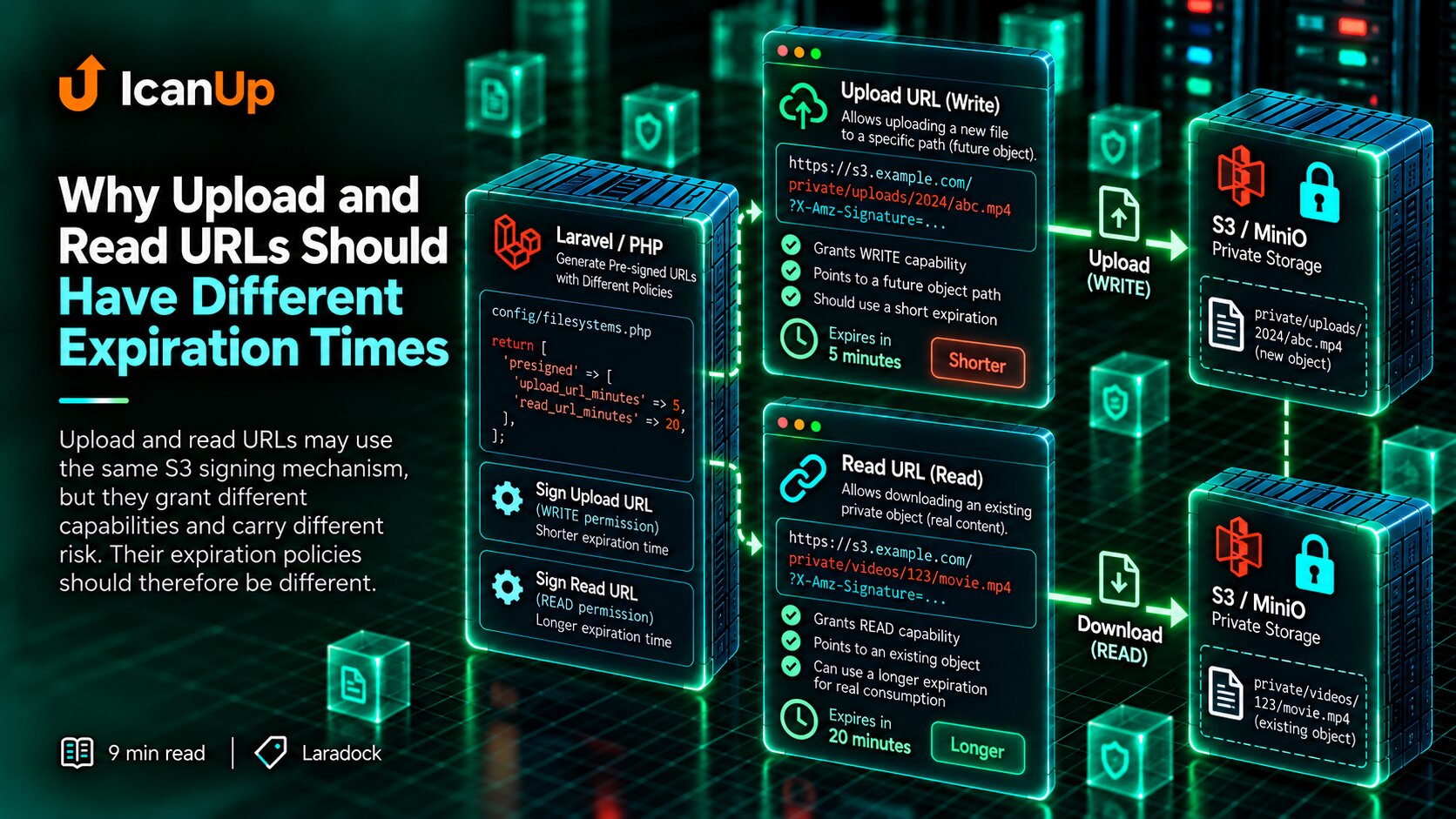
$url = Storage::disk('s3') ->temporaryUrl( $path, now()->addMinutes(10), );One possible mechanism is a temporary signed URL.
Its important property is that access does not become permanent.
The application can authorize the user first and then issue short-lived access to one object.
I cover that mechanism separately later in this series.
The Local Environment Should Be Able to Deny Access Correctly
A useful local environment does not test only successful paths.
For a private file, I also want the correct failure: an anonymous direct request should not return the object.
That failed access attempt is often evidence that the privacy model is actually working.
A Public Bucket Can Hide a Bug Until Production
Local file is public | vUI opens direct URL | vEverything works Production file is private | vI Avoid Weakening the Security Model Just for Local Development
A local environment does not need to copy every production setting literally.
But I try to preserve rules that materially affect application behavior.
File privacy is one of those rules.
If it is disabled locally, we are no longer testing simpler infrastructure. We are testing a different access flow.
What I Verify for a Private File
1. Laravel can write the object -> yes 2. Object exists in the bucket -> yes 3. Direct anonymous access -> denied 4. Authorized application flow -> allowed What I Check Before Making an S3 Object Public
My short checklist:
- Is this file genuinely public by product rules?
- Am I exposing it only to simplify local testing?
- Will the production file be private?
- Has a direct URL accidentally become part of the API contract?
- Do I store the object key rather than assume a permanent public URL?
- Does the application authorize the user before granting access?
- Does direct anonymous access fail correctly?
- Does the local access model match the production model?
Local Convenience Should Not Change Access Rules
Making a local bucket public is easy.
But if production storage is private, that convenience can hide incorrect assumptions in application code.
The interface starts depending on direct URLs, APIs return permanent object addresses, and authorization is effectively bypassed.
I would rather discover those problems locally.
Private files therefore remain private during development, and access follows the same controlled model required after deployment.
A local environment may be simpler than production, but it should not change the security semantics of the file.
If a file must be private after deployment, I do not make it public during development merely for convenience.