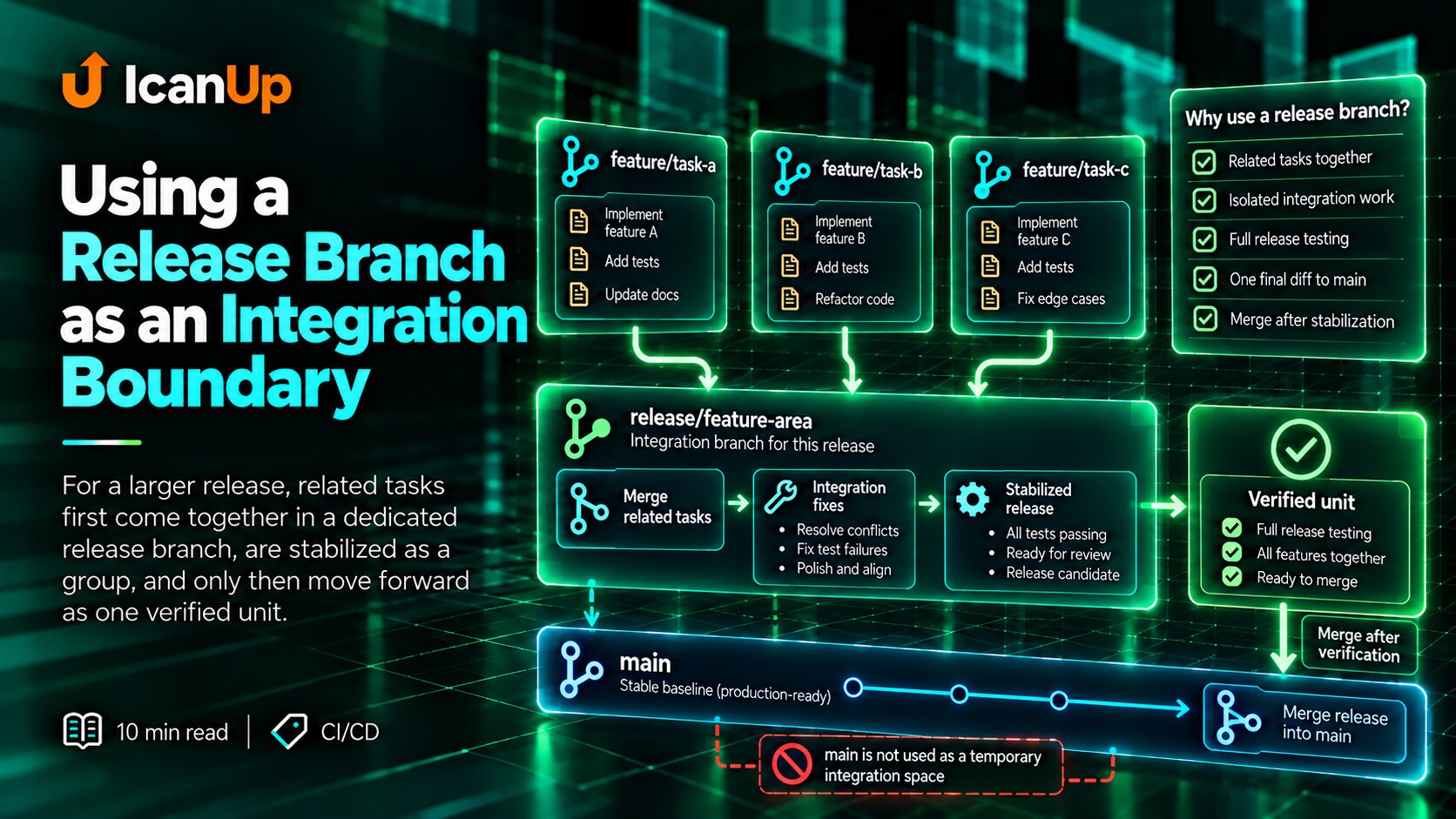
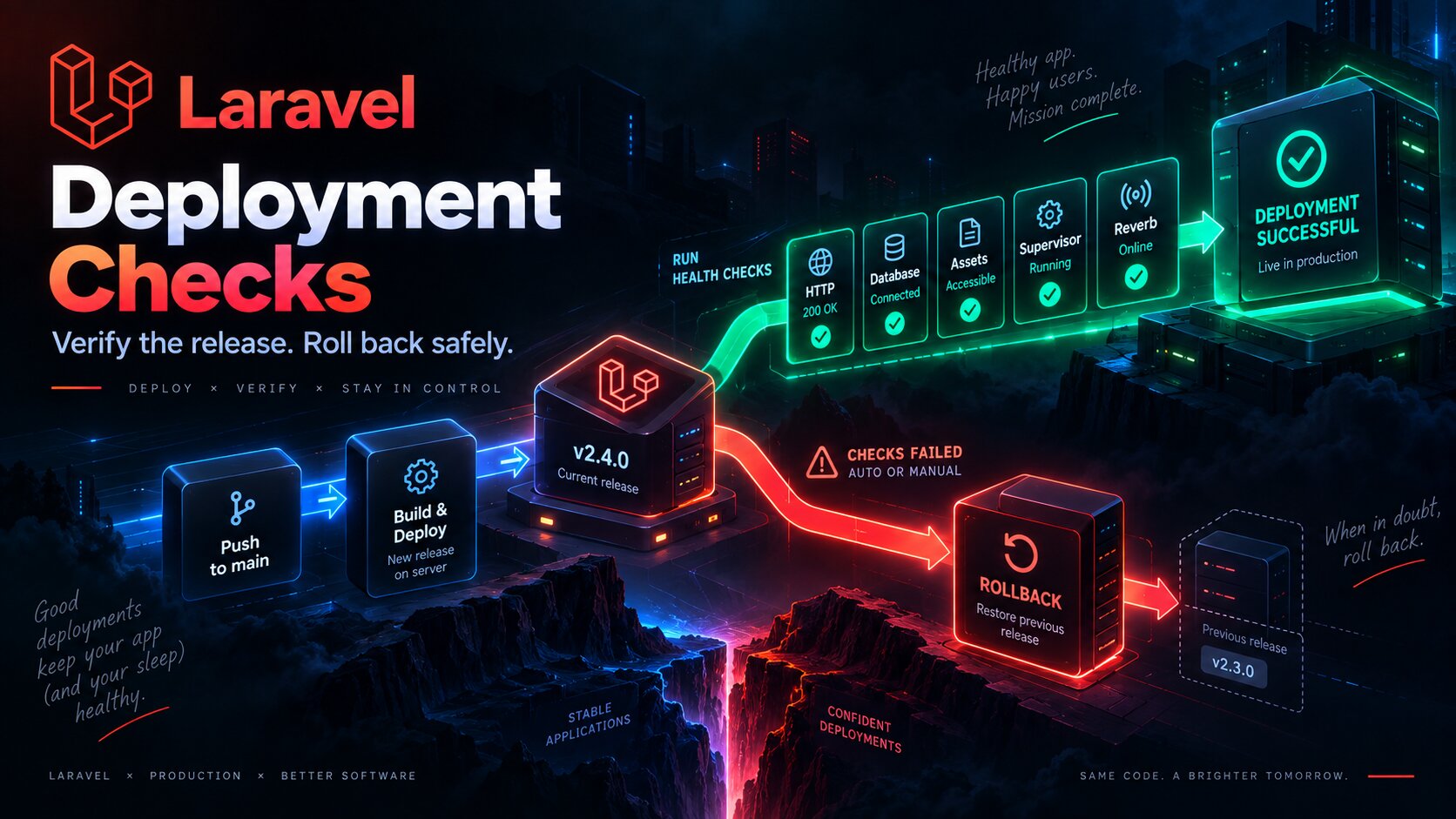
During a production deployment in ICanUp, there is a short period where code, Composer dependencies, migrations, caches, and long-running processes may not change at exactly the same moment.
If normal traffic remains open during that transition, a user can reach the application between two valid states.
At best, they refresh the page. At worst, they receive a random 500 Internal Server Error.
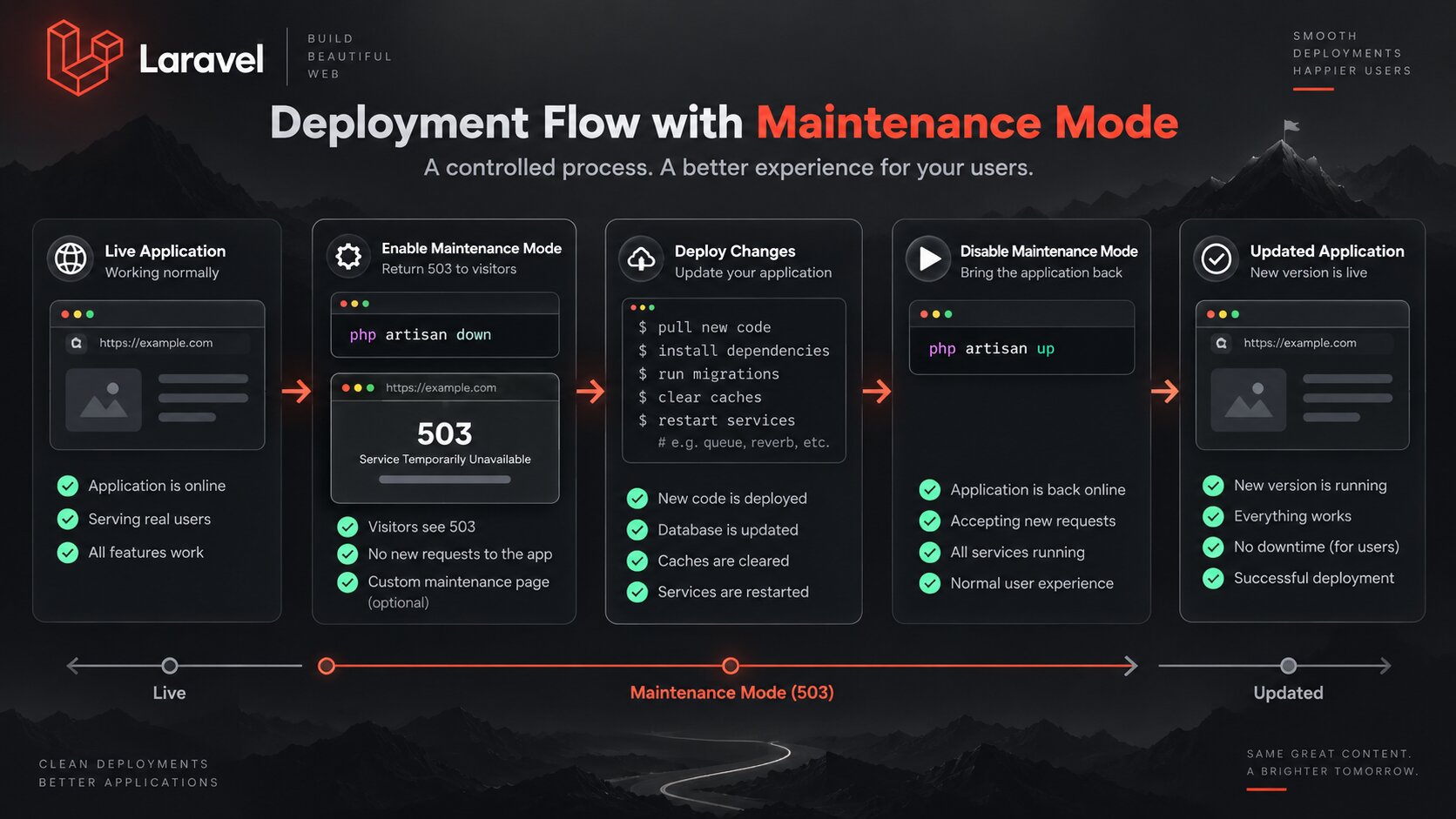
During the critical deployment phase, I therefore deliberately put the site into maintenance mode and return a controlled HTTP 503 Service Unavailable.
The Problem Is the Intermediate State, Not Deployment Itself
Every individual deployment command may be correct, but the full sequence is not atomic.
Git may already contain new code while vendor is still old. A migration may already have changed the schema while Laravel caches still describe the previous version. A new frontend build may not yet be active.
To the user, that does not look like "deployment in progress". It simply looks like a broken page.
Stage | What may temporarily be inconsistent |
|---|---|
Git revision update | New application code with old dependencies |
Composer install | Application code and vendor may represent different versions |
Frontend build | HTML may be new while assets are old or unavailable |
Migrations | Code and database schema may briefly disagree |
Cache rebuild | Laravel may still use old configuration or routes |
Process restart | Worker, Reverb, or SSR may still run old code |
500 and 503 Mean Different Things
500 Internal Server Error means the server attempted to process a normal request and failed.
503 Service Unavailable communicates something different: the service is temporarily unavailable and the server is saying so intentionally.
During a controlled deployment, the second response describes the actual system state more accurately.
HTTP status | Meaning in this situation |
|---|---|
500 | The user reached a broken application state |
503 | The application is intentionally unavailable for a short update |
I Enable Maintenance Mode Before Critical Changes
Maintenance mode needs to be active before application code, dependencies, and other critical components begin changing.
Enabling it only after composer install or migrations would still leave part of the unsafe window exposed.
php artisan down \ --render=maintenance \ --retry=60 \ --refresh=15Three options matter to me here:
--render=maintenanceuses a pre-rendered maintenance view.--retry=60communicates when a client may retry the request.--refresh=15allows the maintenance page to refresh periodically during a short maintenance window.
Why --render Matters
The worst maintenance page is one that depends on the same Laravel components currently being replaced.
If the response needs the full application to boot while composer install or cache rebuilding is in progress, the maintenance page can fail together with the application.
I therefore use a pre-rendered view through --render.
What the User Sees
I do not expose stack traces, failed commands, or other internal deployment details.
The user only needs to know that the site is being updated and that trying again shortly is appropriate.
Maintenance in progress We are updating the site and will be back shortly.Please try refreshing the page again in a few minutes.I Keep Nginx and PHP-FPM Running
To return a controlled HTTP 503, the web stack still needs to accept requests.
I therefore do not stop Nginx or PHP-FPM merely to close the site during deployment.
Doing so would produce timeouts, connection errors, or proxy failures instead of an intentional maintenance response.
The Critical Deployment Phase Runs Behind 503
Enable maintenance mode | vUpdate code | vInstall Composer dependencies | vInstall / activate frontend build | vRun migrations | vSynchronize application stateUntil those steps complete, I do not want normal public traffic reaching the application.
My Production Flow Looks Like This
php artisan down \ --render=maintenance \ --retry=60 \ --refresh=15 git fetch origingit reset --hard origin/main composer install \ --no-dev \ --no-interaction \ --prefer-dist \ --optimize-autoloader php artisan migrate --force The Most Important Rule: Failure Must Not Automatically Run artisan up
The deployment script ending does not automatically mean the site should return to users.
If a critical command fails, the current application state may be incomplete.
In that situation I keep maintenance mode active until the problem is fixed or the deployment is rolled back.
Deployment command failed | vDo NOT expose current application state | vKeep HTTP 503 active | +-- fix problem | +-- rollback | vverify againWhy a Generic Cleanup Trap Can Be Dangerous
It is easy to write a shell cleanup handler that always runs php artisan up when a script exits.
That pattern is useful for temporary files. It is not always correct for production traffic.
If deployment fails after changing the database schema or dependencies, automatically reopening the site can expose exactly the broken state maintenance mode was intended to hide.
cleanup_on_failure() { echo "Deployment failed." echo "Maintenance mode remains active."} trap cleanup_on_failure ERRMaintenance Mode Ends Only After Verification
I do not run php artisan up immediately after the last deployment command.
First I verify that the application is ready for normal traffic.
- Laravel boots successfully.
- Migrations completed successfully.
- Laravel caches were rebuilt.
- Frontend assets are present.
- The queue worker is running.
- Reverb is running.
- The SSR process is running.
- Supervisor reports no critical process failures.
sudo supervisorctl statusThen I Return Normal Traffic
php artisan upEven after artisan up, the deployment is not finished for me.
The Final HTTP Check Runs After artisan up
After normal traffic returns, I run an external HTTP check.
At this point it verifies the real public application rather than the maintenance page.
curl \ --fail \ --silent \ --show-error \ --location \ https://icanup.com.ua/ \ > /dev/nullThe --fail option ensures that an HTTP 500 response does not look like a successful shell command.
A Failed Final Check Puts the Site Back into Maintenance
There is another important edge case: all deployment commands succeed, artisan up runs, but the external verification still finds a problem.
I do not leave the site open simply because the pipeline is almost complete.
if ! curl \ --fail \ --silent \ --show-error \ --location \ https://icanup.com.ua/ \ > /dev/nullthen php artisan down \ --render=maintenance \ --retry=60 \ --refresh=15 exit 1fiRetry-After Matters Too
An HTTP 503 response can include Retry-After so clients and crawlers understand that the outage is temporary.
For a short controlled deployment, that is more accurate than behaving as if the page were permanently broken.
Laravel exposes that value through --retry.
503 Should Not Become a Long Outage
Maintenance mode is not an excuse for long downtime.
Its job is to make a short dangerous transition predictable.
If maintenance mode remains active for a long time, that becomes a separate operational incident that needs investigation.
SSR, Reverb, and Workers Are Part of Recovery Too
In a modern Laravel application, one HTTP 200 response does not describe the health of the whole system.
In ICanUp, deployment also needs to restore the queue worker, Reverb, and Inertia SSR to a known healthy state.
That is why Supervisor restarts and process verification happen before the maintenance window is considered complete.
Maintenance Mode and Health Checks Solve Different Problems
Mechanism | Responsibility |
|---|---|
Maintenance mode | Keep users away from an intermediate or broken state |
503 page | Explain temporary unavailability correctly |
Process checks | Verify long-running processes are alive |
HTTP health check | Verify the real application response after reopening |
Rollback | Restore a known stable version if recovery is not quick |
This Belongs in CI/CD, Not in a Manual Server Checklist
Maintenance mode is useful to me only when it is part of a predictable deployment flow.
I do not want to manually remember when to run artisan down, when to run artisan up, and what to verify in between.
I described the broader process in my article about a real Laravel CI/CD pipeline.
What I Do Not Do
- Do not keep normal public traffic open while critical application state is changing.
- Do not show random 500 responses when the outage is actually planned.
- Do not stop Nginx or PHP-FPM merely to create a maintenance window.
- Do not build the maintenance page on complex application logic that may fail during deployment.
- Do not run
artisan upautomatically after every failure. - Do not treat the final deployment command as proof of application health.
- Do not reopen the site before checking Supervisor processes.
- Do not complete deployment without an external HTTP check.
- Do not leave public traffic open after a failed final check.
My Short Maintenance Checklist
- Prepare a simple maintenance page.
- Enable maintenance mode before critical changes.
- Return HTTP 503 instead of 200.
- Provide
Retry-Afterthrough--retry. - Update code, dependencies, migrations, and caches.
- Restart long-running processes.
- Verify Supervisor status.
- Keep maintenance mode active on failure.
- Run
artisan uponly after internal verification. - Run an external HTTP health check after reopening.
- Restore maintenance mode if the final check fails.
During deployment, a short intentional 503 is safer than accidentally exposing a partially updated application.
What I Kept for Next Time
- Treat maintenance mode as the boundary between the stable old version and the stable new version.
- Enable 503 before critical application changes begin.
- Use a pre-rendered maintenance page.
- Do not depend on the full Laravel boot process for the maintenance response.
- Do not reopen the application automatically after a failed deployment.
- Verify long-running processes before restoring public traffic.
- Run a separate external check after
artisan up. - Restore maintenance mode after a failed final check.
- Keep recovery and rollback procedures separate from the successful deployment path.
Conclusion
In ICanUp, maintenance mode became more than a decorative page. It is part of production safety.
Its job is simple: prevent users from reaching the intermediate state between the old valid version and the new one.
During the critical phase, the site intentionally returns 503 Service Unavailable. Code, dependencies, migrations, caches, queue workers, Reverb, and SSR are updated behind that boundary.
If something fails, maintenance mode remains active. If internal checks pass, the site reopens and one more external HTTP check verifies the public application.
For me, a good deployment is not one with zero seconds of 503. It is one where users never see a broken intermediate application state.