CI/CD in my Laravel project is a pipeline that checks changes before they reach the target environment. I use it for builds, code quality checks, tests, and controlled deployment.
What CI/CD Means to Me
When I first worked with CI/CD, it was easy to think of it as something like a pipeline that runs deployment. In a real project, I see it a little differently.
CI (Continuous Integration) for me is the automatic verification of changes: whether the backend and frontend build, whether static analysis passes, and whether tests are still green.
CD (Continuous Delivery / Continuous Deployment) starts later, when already verified code needs to reach development or production.
I previously wrote about how this workflow looked for me with Bitbucket CI Bot compared with GitLab Pipeline.
How My Pipeline Is Structured

My .gitlab-ci.yml defines five stages:
infrastructure
build
quality
test
deploy
That does not mean all five appear in every pipeline. In the image above, for example, only build, quality, and test are running. Infrastructure is needed only under specific conditions, while deployment has its own rules.
I like this structure because every stage answers a simple question: is the environment ready, does the project build, is the code acceptable, do the tests pass, and can it be deployed.
stages: - infrastructure - build - quality - test - deployWhen I Run the Pipeline
workflow: rules: - if: '$CI_PIPELINE_SOURCE == "web" && $RUN_ALL == "true"' - if: '$CI_PIPELINE_SOURCE == "web" && $FORCE_CI_IMAGE_BUILD == "true"' - if: '$CI_PIPELINE_SOURCE == "web"' when: never - if: '$CI_PIPELINE_SOURCE == "merge_request_event"' - if: '$CI_PIPELINE_SOURCE == "push" && $CI_COMMIT_BRANCH == "development"' - if: '$CI_PIPELINE_SOURCE == "push" && $CI_COMMIT_BRANCH == "main"' - when: neverI intentionally do not create a pipeline for every ordinary push to a feature branch.
A Merge Request gets its own pipeline. A push to development is needed for the dev deployment, while a push to main is used for the production flow. I can also manually run a full verification with RUN_ALL or rebuild the PHP CI image with FORCE_CI_IMAGE_BUILD.
Everything else reaches the final when: never rule.
For me, this is a simple way to avoid running jobs without a reason.
Build: First I Check That the Project Actually Builds
backend_build: stage: build script: - 'composer validate --strict' - > composer install --no-interaction --prefer-dist --no-progress --no-dev --optimize-autoloader - 'composer check-platform-reqs --no-dev' - 'php artisan optimize'I check the backend and frontend separately.
For the backend, I validate the Composer configuration, install production dependencies, check platform requirements, and run Laravel optimization.
For the frontend, I use Node 24, run npm ci, and create the production build.
After the frontend build, I also verify that public/build/manifest.json and the SSR bundle actually exist. For me, a successful npm run build command alone is not the final check.
Quality: I Check the Code Before Running Tests
phpstan: stage: quality script: - './vendor/bin/phpstan analyse --memory-limit=1G --no-progress' php_cs_fixer: stage: quality script: - > ./vendor/bin/php-cs-fixer fix --dry-run --diff --verboseIn this version of the pipeline, my quality stage contained PHPStan and PHP-CS-Fixer. PHPStan handled static analysis, while the formatter checked code style without rewriting files inside CI.
Later, I removed PHP-CS-Fixer and switched to Laravel Pint. The pipeline idea did not change: formatting is still a separate quality check, only the tool changed.
I described that migration separately in Laravel Pint Was Already in My Project: Why I Removed PHP-CS-Fixer.
Tests: I Do Not Put Every Test Into One Job
tests_unit: stage: test script: - > php artisan test --testsuite=Unit --log-junit=reports/unit.xml tests_integration: stage: test script: - > php -d memory_limit=768M artisan testI run Unit, Integration, and Feature tests as separate jobs.
For Integration and Feature tests, I start MySQL 8.0.46, wait until the database becomes available, and then run php artisan migrate:fresh --force.
Unit tests do not need that MySQL setup, so there is no reason to make them wait for extra infrastructure.
Another advantage for me is visibility: when the pipeline fails, I immediately see which group of tests has the problem.
I Do Not Run Every Job After Every Change
One thing I gradually added to the pipeline was
- rules: changes.
If I change only frontend code, there is no reason to run the entire backend test flow. When PHP runtime files, Composer dependencies, application code, or shared test infrastructure change, the corresponding backend jobs run.
A release Merge Request to main or a change to .gitlab-ci.yml gets broader verification. And when I want a complete manual check regardless of changed files, I use RUN_ALL.
For me, a good pipeline is not the one that runs as many jobs as possible. It should run the checks that are actually relevant to the change.
Deploy: Development Is Automatic, Production Is Manual
deploy_development: rules: - if: '$CI_PIPELINE_SOURCE == "push" && $CI_COMMIT_BRANCH == "development"' when: on_success - when: never deploy_production: rules: - if: '$CI_PIPELINE_SOURCE == "push" && $CI_COMMIT_BRANCH == "main"' when: manual allow_failure: false - when: neverFor development, I allow automatic deployment after a successful push pipeline to the development branch. For production on main, I keep deployment manual.
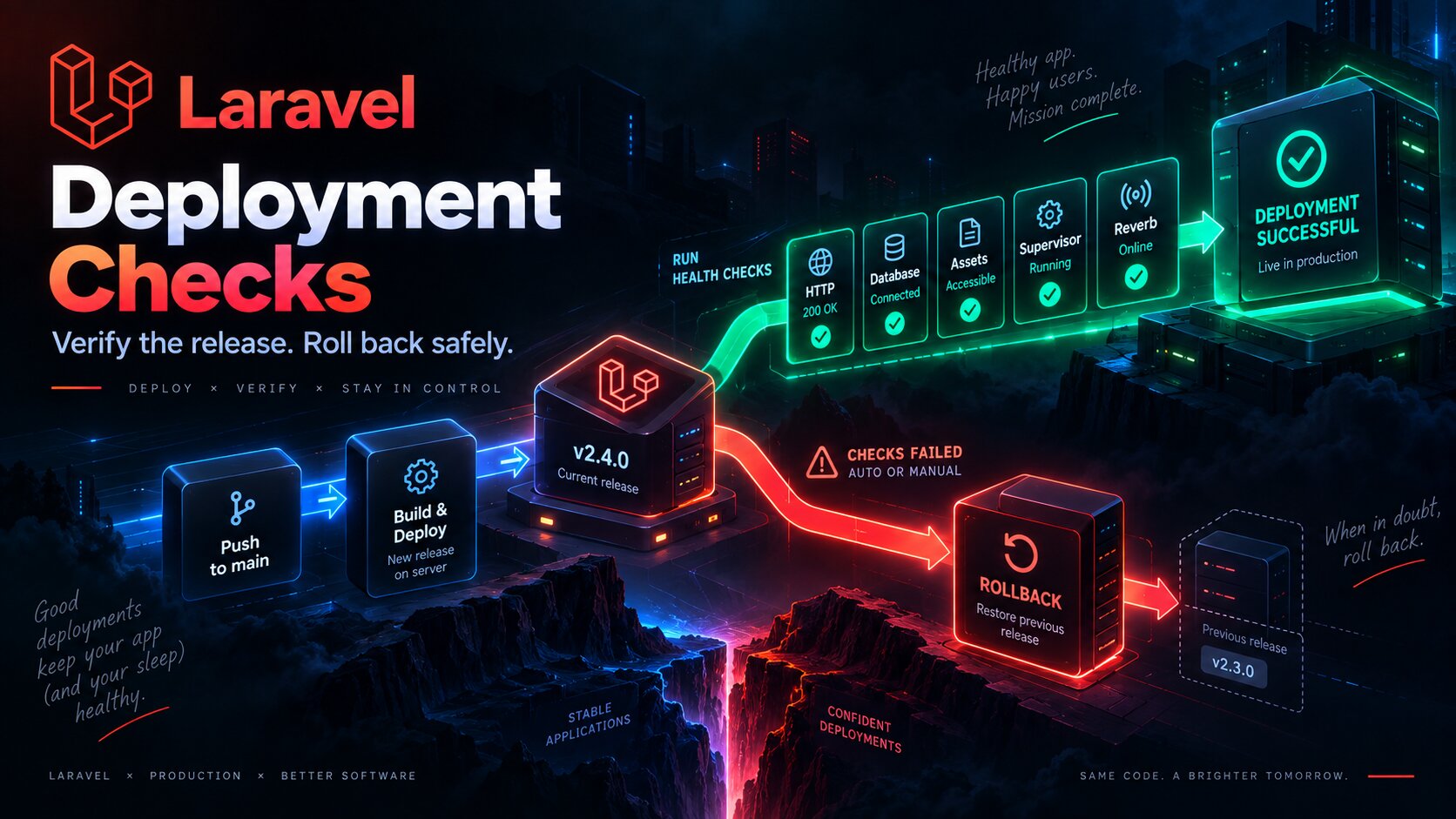
The deployment itself does much more than git pull:
it builds browser and SSR assets;
uploads them to the server;
installs production Composer dependencies;
runs migrations and Laravel optimization;
restarts the queue;
restarts Reverb and SSR through Supervisor;
and finishes with a health check.
I also had to deal with Composer access to private GitLab dependencies. I wrote about a related Composer, GitLab, Docker, and SSH problem in a separate article.
That Is Why CI/CD Is More Than Deployment for Me
When looking only at the last stage, it is easy to think that CI/CD is mainly about automated deployment. In my project, most of its value appears earlier.
The pipeline answers a sequence of questions for me: does the project build, do the quality checks pass, are the tests green, and only then - can the change move toward deployment.
That is why I did not try to put everything into one large job with a long list of commands. I find it much easier to see build, quality, test, and deploy separately and immediately understand where something went wrong.