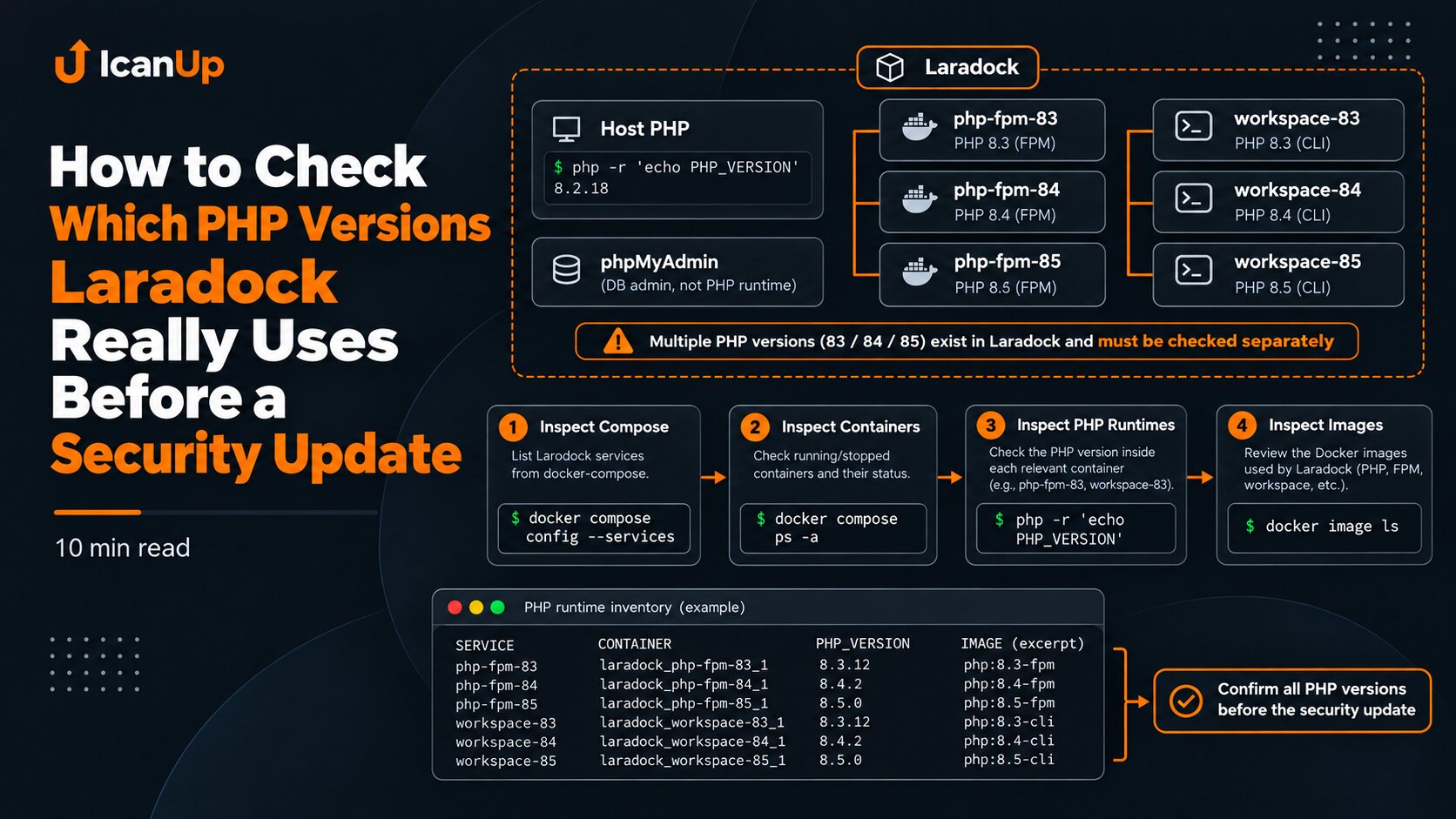
After a security update, it is easy to produce a new Docker image, verify the required PHP version inside it, and assume the problem is closed.
But Docker Compose does not run an abstract "latest safe image". It uses the configuration produced after merging Compose files, environment variables, image, build, and overrides.
In my local Laradock setup, this became a separate verification step: after preparing patched PHP-FPM, workspace, and phpMyAdmin images, I still had to prove that the next start would not restore the old image references.
A New Image and the Effective Compose Model Are Different Things
A Docker image can already exist locally and even pass validation. That still does not mean the Compose service points to that image reference.
The service may still contain an old image:, a remaining build: section, another override, or be started with a different set of -f files.
That is why after preparing a new image I verify both the image itself and the effective model Docker Compose actually sees.
First Validate the Compose Configuration
cd ~/Projects/laradock || exit 1 docker compose config -qdocker compose config -q does not start containers. It checks whether Docker Compose can resolve the configuration without syntax and some structural errors.
For a security change, this is an important first guard: if the override is invalid, there is no reason to proceed to container recreation.
Inspect Which Images Compose Will Actually Use
cd ~/Projects/laradock || exit 1 docker compose config --imagesThis command is more useful than a simple docker image ls when the question is: "What will Compose actually use?"
docker image ls shows what exists locally. docker compose config --images shows the image references resolved from the Compose model.
If the patched image exists locally but is absent from config --images, the image alone fixes nothing.
When Multiple Compose Files Are Used, Verify the Same File Set
The most dangerous mistake here is validating one Compose file set but starting the environment with another command.
If Laradock uses a base file plus several overrides, every verification command must use the same -f set that will be used on the next start.
docker compose \ -f docker-compose.yml \ -f docker-compose.override.yml \ -f docker-compose.local.yml \ -f docker-compose.security-php.yml \ config -q docker compose \ -f docker-compose.yml \ -f docker-compose.override.yml \ -f docker-compose.local.yml \ -f docker-compose.security-php.yml \ config --imagesAn Image Tag Is Not Enough: Verify the Immutable Image ID
A tag is convenient for humans, but it is not an immutable image identity. Today my-php:8.5-secure may point to one image ID, and after a rebuild the same tag may point to another.
During a controlled security update, I record both the tag and the immutable image ID.
docker image inspect \ --format '{{.RepoTags}} | id={{.Id}}' \ my-php:8.5-secureVerify Which Image ID the Container Actually Uses
docker inspect \ --format 'name={{.Name}} image={{.Config.Image}} image_id={{.Image}} state={{.State.Status}}' \ laradock-php-fpm-85-1Three things matter here:
- the image reference returned by
docker compose config --images; - the image ID currently behind that tag;
- the image ID actually used by the container.
Only when these values line up do you have a clear picture of the current state.
Why build Can Change the Result Again
Even when image: points to the intended image, an active build: section can change what happens on the next command depending on how Compose is invoked.
In my case, the safe override was designed so the effective model used pinned image references for the required PHP services and did not silently rebuild them from an older base.
docker compose config \ | grep -nE '^[[:space:]]+(image|build):'A Persistent Override Matters More Than One Successful Start
Starting a container once with the correct image ID is not enough. If the next ordinary docker compose up omits the required override, the environment can return to the old image reference or rebuild again.
That is why an image pin must be part of a repeatable Compose configuration rather than only a manual command used during an emergency update.
Verify the Diff Before Any Recreate
Before recreating containers, I want to see the smallest expected change: image references changed for the required PHP services while unrelated services, ports, volumes, and networks stayed unchanged.
This is a good point to save sanitized effective configurations before and after the change and compare them.
docker compose config --images \ | sort \ > /tmp/compose-images.after.txt cat /tmp/compose-images.after.txtWhat I Verify Before the Next Start
Before any mutating Compose command, I want clear answers to several questions:
- is the required Compose file set valid;
- does
config --imagesshow the patched image references; - are the immutable image IDs known;
- is there an unwanted
build:for services that should use prepared images; - does the override unexpectedly change unrelated ports, volumes, or services;
- will the next command use the exact same
-ffile set.
A safe Docker image does not help if the effective Compose configuration selects a different image on the next start.
Summary
In a Docker security update, two facts must stay separate: "I created a patched image" and "Laradock is guaranteed to use it". They are not the same thing.
My practical conclusion is simple: after updating images, verify the effective Compose model, image references, immutable image IDs, and the persistent override. Only then move to a controlled container recreation.
The next problem worth examining is why Docker Compose can sometimes bring up more services than expected even when the command looks local and targeted.