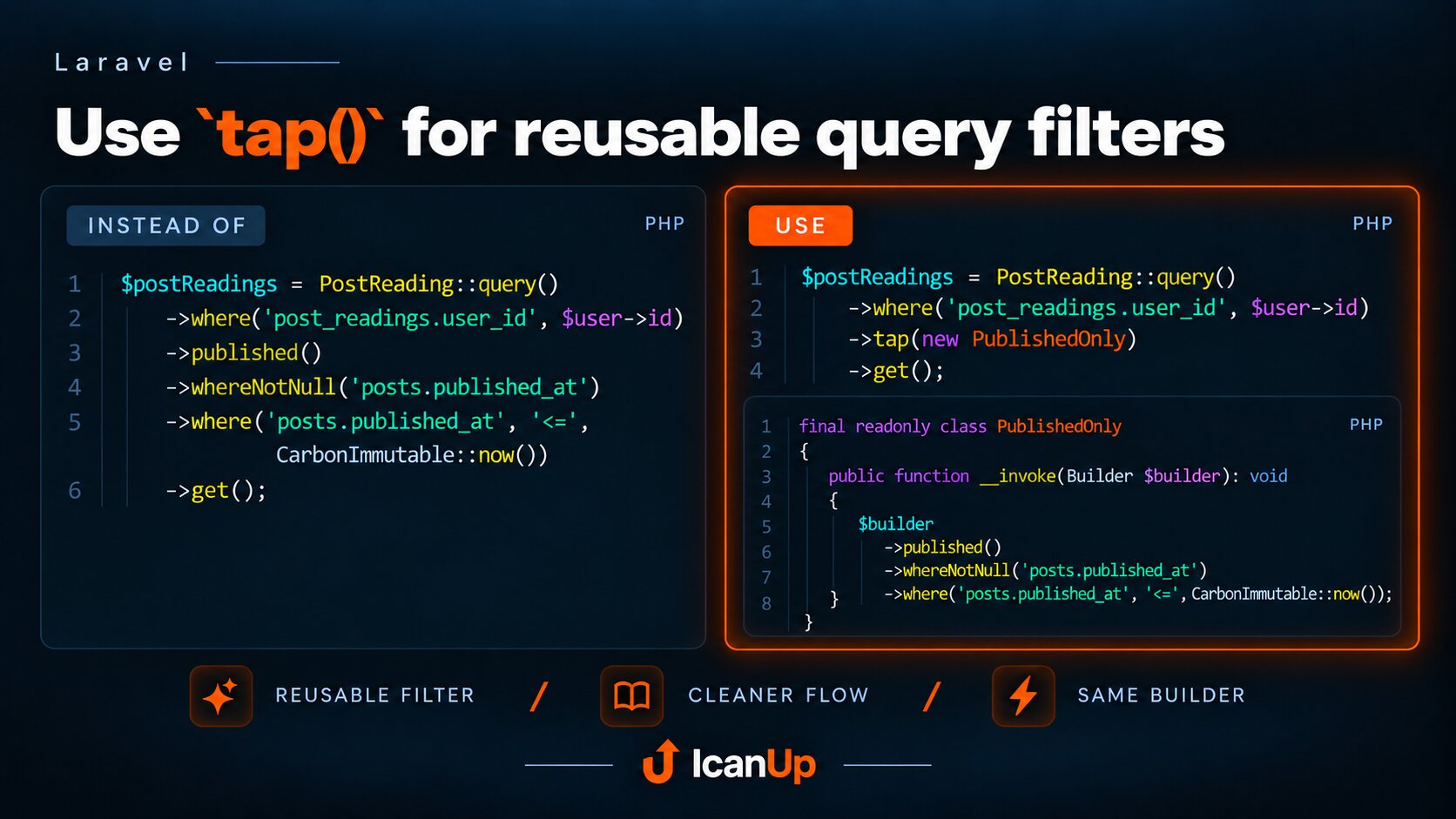
Laravel tap(): Perform an Action and Keep the Original Value
Use tap() for a side effect without losing the original value, return a model after update(), use the callback form and Tappable trait, and understand when tap() is not a transformation tool.
Sometimes you need to perform an action on a value and then continue with that exact original value. Without tap(), this often becomes a temporary variable, a few mutation lines, and a separate return.
Laravel tap() makes the intent explicit: perform a side effect with this value, then give me the same value back.
Basic Case: Mutate a Model and Return It
$user->update([ 'name' => $name, 'email' => $email,]); return $user;return tap($user)->update([ 'name' => $name, 'email' => $email,]);Without tap(), the result of calling update() would be the method's own return value. The higher-order form tap($user)->update(...) intentionally ignores that value and returns the original $user object.
The point is not shorter syntax at any cost. The helper is useful when you want to preserve the fluent flow and return the model after acting on it.
The Callback Form Shows the Core tap() Model
$user = tap( $user, function (User $user) use ($name): void { $user->name = $name; $user->save(); },);The first argument is passed to the callback, and after the callback runs tap() returns the original value. Whatever the callback itself returns does not become the result of tap().
The Callback Return Value Is Ignored
$result = tap( $user, function (User $user): string { $user->touch(); return 'ignored'; },); // $result is still the User instance.tap() Fits Small Side Effects
return tap($order, function (Order $order): void { $order->update([ 'status' => OrderStatus::PAID, ]); Log::info('Order marked as paid', [ 'order_id' => $order->id, ]);});This form is useful when the main result of the method is still the model itself, while one local side effect needs to happen before returning it: persisting changes, recording diagnostic information, or preparing the object.
tap() Is Also Useful Without Mutation
$payload = tap( $payload, fn (array $payload) => Log::debug( 'Webhook payload', ['payload' => $payload], ),);The callback does not need to mutate the value. tap() is also useful for observing an intermediate value when the same result should continue through the rest of the flow.
Higher-Order tap() Removes a One-Method Callback
return tap( $user, function (User $user) use ($attributes): void { $user->update($attributes); },);return tap($user) ->update($attributes);When the callback only performs one method call, Laravel lets you omit the closure. tap($value) returns a proxy that calls the method on the original object and then returns that object again.
The Tappable Trait Adds tap() to Your Own Class
use Illuminate\Support\Traits\Tappable; final class Report{ use Tappable;} return $report->tap( function (Report $report): void { $report->prepare(); },);If this style naturally belongs to your own object, Laravel provides the Tappable trait. Its tap() method passes the current instance to the closure and then returns the same instance.
Query Builder Has tap() Too, but It Is a Separate API
DB::table('users') ->tap(new ActiveUsersFilter()) ->orderBy('name') ->get();Modern Query Builder also exposes tap() for applying reusable query logic while always returning the builder. The idea is related - perform an action and preserve the current flow - but this is a separate API from the global tap($value) helper.
tap() Does Not Make Work Transactional
If the callback performs several database writes that must succeed together, you still need an appropriate transaction boundary. tap() solves a flow problem, not a consistency problem.
Do Not Hide a Large Business Operation Inside tap()
return tap($order, function (Order $order): void { $order->reserveStock(); $order->chargeCustomer(); $order->generateInvoice(); $order->notifyWarehouse(); $order->dispatchShipment();});$order = $checkoutService->complete($order); return $order;A small helper should not hide a large workflow. If the callback grows into several meaningful business steps, a dedicated service or a clearly named method usually communicates the intent better.
When tap() Is a Good Fit
- you need to act on an object and immediately return that same object;
- you want to insert one small side effect into an otherwise clear flow;
- you want to inspect or log an intermediate value without changing the result;
- a method returns a technical result but the caller needs the original object;
- a small callback makes the intent clearer instead of hiding complexity.
When Plain Code Is Clearer
- when you need the value returned by the callback;
- when the result should be transformed into another type or object;
- when a complex business workflow is accumulating inside the callback;
- when a variable and two explicit lines are easier to understand than an unfamiliar helper;
- when you need a transaction or another execution guarantee that
tap()does not provide.
The purpose of tap() is intentionally narrow: do something with this value, but do not change what flows outward. When that intent is not obvious, plain code is often the better choice.