While working locally with Laravel and Vite in ICanUp, I hit an error that initially looked like a Vite problem.
The dev server tried to update its cache under node_modules/.vite but could not remove one of the generated files.
The cause was simpler: the file had been created by another system user, and my normal project user did not have permission to modify it.
Error: EACCES: permission denied, unlink'node_modules/.vite/deps/package.json'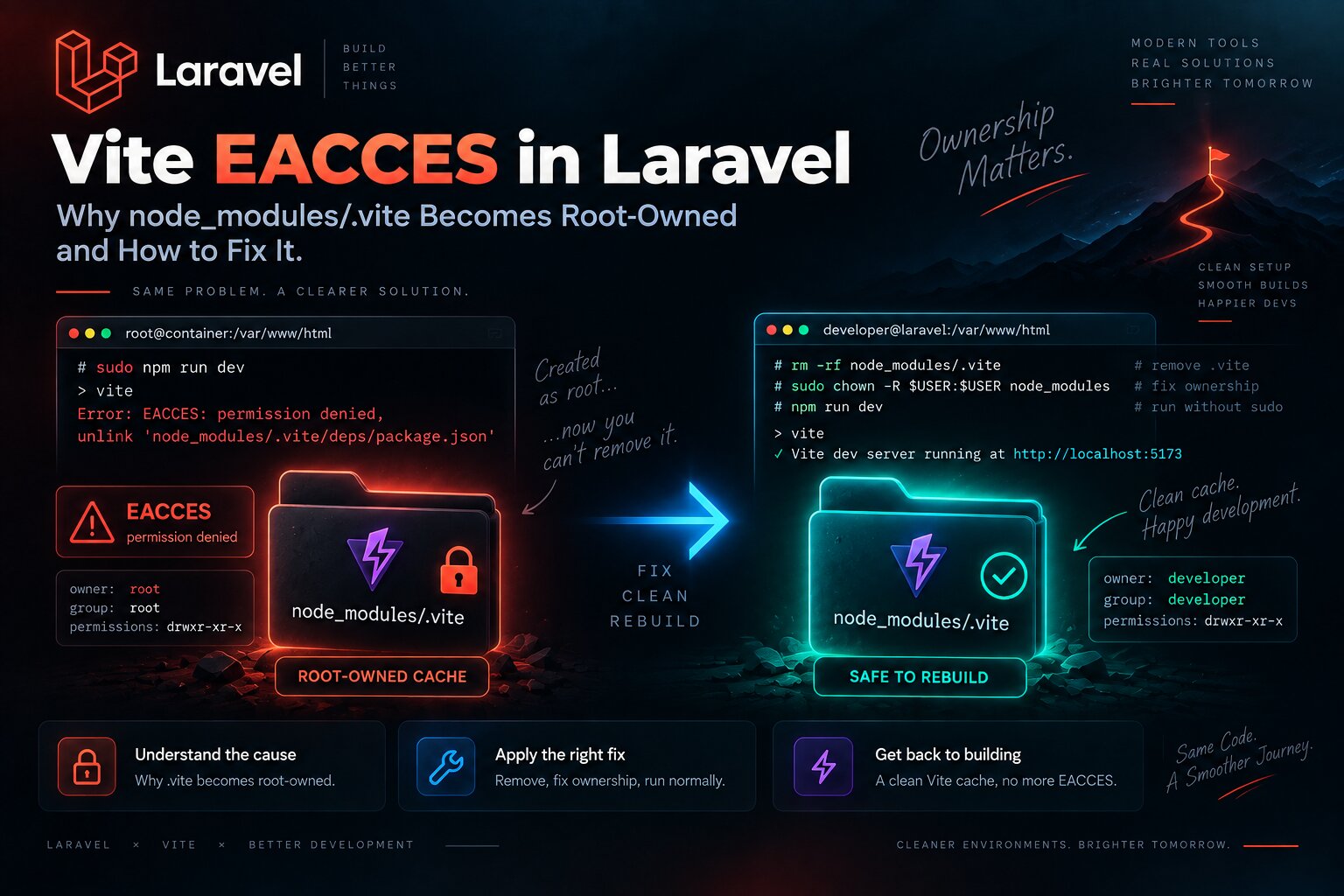
I Checked File Ownership Before Debugging Vite
When an error contains EACCES, the filesystem is the first place I check.
There is no reason to immediately reinstall the entire frontend or change Vite configuration.
ls -ld \ node_modules \ node_modules/.vite \ node_modules/.vite/deps stat -c '%U:%G %a %n' \ node_modules \ node_modules/.vite \ node_modules/.vite/deps \ node_modules/.vite/deps/package.jsonIf the project belongs to my normal user while node_modules/.vite suddenly contains root:root, the cause is already almost confirmed.
How Root-Owned Files Appear Inside node_modules
This state usually does not come from a normal npm run dev. It appears after mixing different ways of running Node.
For example, Vite may run once inside a container as root or through sudo, then later run again as the normal host user.
- Vite or npm was executed with
sudo. - A Docker container ran as
rootand wrote into a bind-mounted project directory. - Dependencies were installed by one user and the dev server was started by another.
- Host Node and container Node alternated over the same
node_modulestree without a consistent UID/GID contract.
First run: root | vnode_modules/.vite/deps/package.jsonowner = root Next run: normal user | vVite tries to unlink package.json |What Vite Stores in node_modules/.vite
The node_modules/.vite directory is not application source code.
Vite uses it for generated cache data and dependency pre-bundling so later development starts can be faster.
Deleting .vite does not remove application code or package definitions. Vite can generate the cache again.
Path | Purpose | Can be regenerated |
|---|---|---|
| Application source | No |
| Dependencies and scripts | No |
| Locked dependency versions | No |
| Generated Vite cache | Yes |
If Only .vite Is Broken, Do Not Touch All of node_modules
I start with the smallest possible repair.
If node_modules generally belongs to the correct user and only the Vite cache is affected, removing that cache is enough.
rm -rf node_modules/.vite npm run devsudo rm -rf node_modules/.vite npm run devThe distinction matters: sudo is used only to remove an existing root-owned artifact.
The new npm run dev runs without sudo.
When Removing .vite Is No Longer Enough
Sometimes the problem is larger than one cache directory.
If npm install or another Node process previously ran as root, root-owned files can be scattered throughout node_modules.
find node_modules \ -user root \ -print \ | head -n 50If this returns many files, deleting .vite only removes the current symptom.
The dependency tree needs a consistent owner again.
sudo chown -R \ "$(id -un)":"$(id -gn)" \ node_modulesA Clean Reinstall Is Another Safe Option
If ownership across node_modules is inconsistent or I no longer trust the dependency tree, rebuilding it can be cleaner than repairing individual files.
sudo rm -rf node_modules npm ciAgain, sudo is used only to remove an existing root-owned tree. npm ci then runs as the normal project user.
This approach is appropriate when the project has an up-to-date package-lock.json.
Why chmod 777 Is Not a Fix
A permission error often tempts people to make the whole directory writable by everyone.
That hides the symptom but does not repair the ownership model.
# Do not use this as a fix:chmod -R 777 node_modulesThe right question is not "how do I let everyone write here?" but "which user should own these files, and why did root create them?".
Why sudo npm run dev Makes the Problem Worse
Running sudo npm run dev can temporarily hide EACCES because root is allowed to modify the root-owned cache.
But Vite then creates more files as root.
The next normal run reproduces the same problem.
Wrong recovery: EACCES | vsudo npm run dev | vmore root-owned files | vnormal npm run dev | vEACCES againDocker Adds UID and GID to the Ownership Problem
Inside Docker, the username does not need to match the username on the host. For a bind mount, the UID and GID of the process that creates the file are what matter.
If the container process has UID 0, files written into the project can appear as root-owned on the host.
id -uid -g docker compose exec workspace idThe service name may differ between Laradock setups, so I inspect the actual service where Node commands are executed.
In Laradock I Want One Stable Ownership Contract
The best solution is not to repair permissions after every run but to make every process create files under the correct user from the beginning.
For a bind-mounted project directory, the container user should align with the host UID/GID or follow another deliberately configured ownership model.
- Do not run Node commands as root without a concrete reason.
- Check the UID/GID of the user in the Node-capable container.
- Do not mix a root container and the host user over the same
node_modulestree. - If Node runs on the host, use the host user consistently.
- If Node runs in a container, use the configured non-root container user consistently.
- After changing Laradock configuration, clean old root-owned artifacts once.
Multiple PHP Versions Do Not Require Multiple Node Ownership Models
I run several PHP versions locally for different projects, using separate Laradock workspaces and wrapper commands.
Node filesystem ownership is a separate concern.
Even if PHP 8.3, 8.4, and 8.5 live in different services, frontend files for one project should still follow one predictable ownership contract.
I described the PHP side separately in my article about running PHP 8.3, 8.4, and 8.5 with Laradock, dphp, dartisan, and dcomposer.
Runtime Upgrades Can Accidentally Mix Node Users
During a runtime upgrade, it is easy to run some commands in a container, some on the host, and one command accidentally as root.
The ownership problem may only become visible later, when Vite tries to rebuild its cache.
I documented one of my larger environment upgrades in my PHP 8.5, Laravel, Laradock, and Composer package upgrade article. Changes like that are a good reminder that runtime versions and runtime users are separate configuration concerns.
My EACCES Recovery Order
What I find | What I do |
|---|---|
Only | Remove |
Many files in | Repair ownership or reinstall dependencies |
The whole project is becoming root-owned | Find the process writing files as root instead of applying broad chmod |
The problem returns after Docker | Inspect the container process UID/GID |
How I Verify the Fix
find node_modules \ -user root \ -print \ -quit npm run dev- Vite starts without
sudo. node_modules/.viteis created by the normal project user.- Restarting the dev server does not produce
EACCES. - No new root-owned files appear in
node_modules. - Docker or Laradock does not recreate the problem on the next run.
package.jsonandpackage-lock.jsondid not need to change for a permission repair.
What I Would Avoid
- Do not run
sudo npm run dev. - Do not use
sudo npm installas a normal workflow. - Do not use
chmod -R 777 node_modules. - Do not remove all of
node_moduleswhen only the Vite cache is affected. - Do not recursively
chownthe entire project without first identifying the problem. - Do not mix host Node and a root container over the same dependency tree.
- Do not debug Laravel application code while the filesystem already shows root-owned generated files.
Vite EACCES often looks like a frontend problem, but it can be nothing more than a conflict between the user that created the cache and the user trying to update it.
What I Kept for Next Time
- Check owner and permissions first when an error says EACCES.
- Treat
node_modules/.viteas generated cache that can be rebuilt. - Start with the smallest possible repair.
- Use sudo only to clean already incorrect root-owned artifacts, not to run Node.
- Do not replace an ownership problem with broad permissions.
- Check the UID/GID of Docker processes writing into bind mounts.
- Keep one stable ownership contract for frontend files in Laradock.
- After a runtime upgrade, verify which user executed Node commands.
Conclusion
The EACCES: permission denied, unlink error did not require changes to Laravel or Vite configuration in my case.
Vite was simply trying to update generated cache while part of node_modules/.vite belonged to root.
In ICanUp, the real fix was restoring a consistent ownership contract: remove or repair root-owned artifacts and keep Node running under one agreed non-root user afterward.
The important fix is not teaching Vite to bypass permissions. It is stopping frontend files from being created by the wrong user.