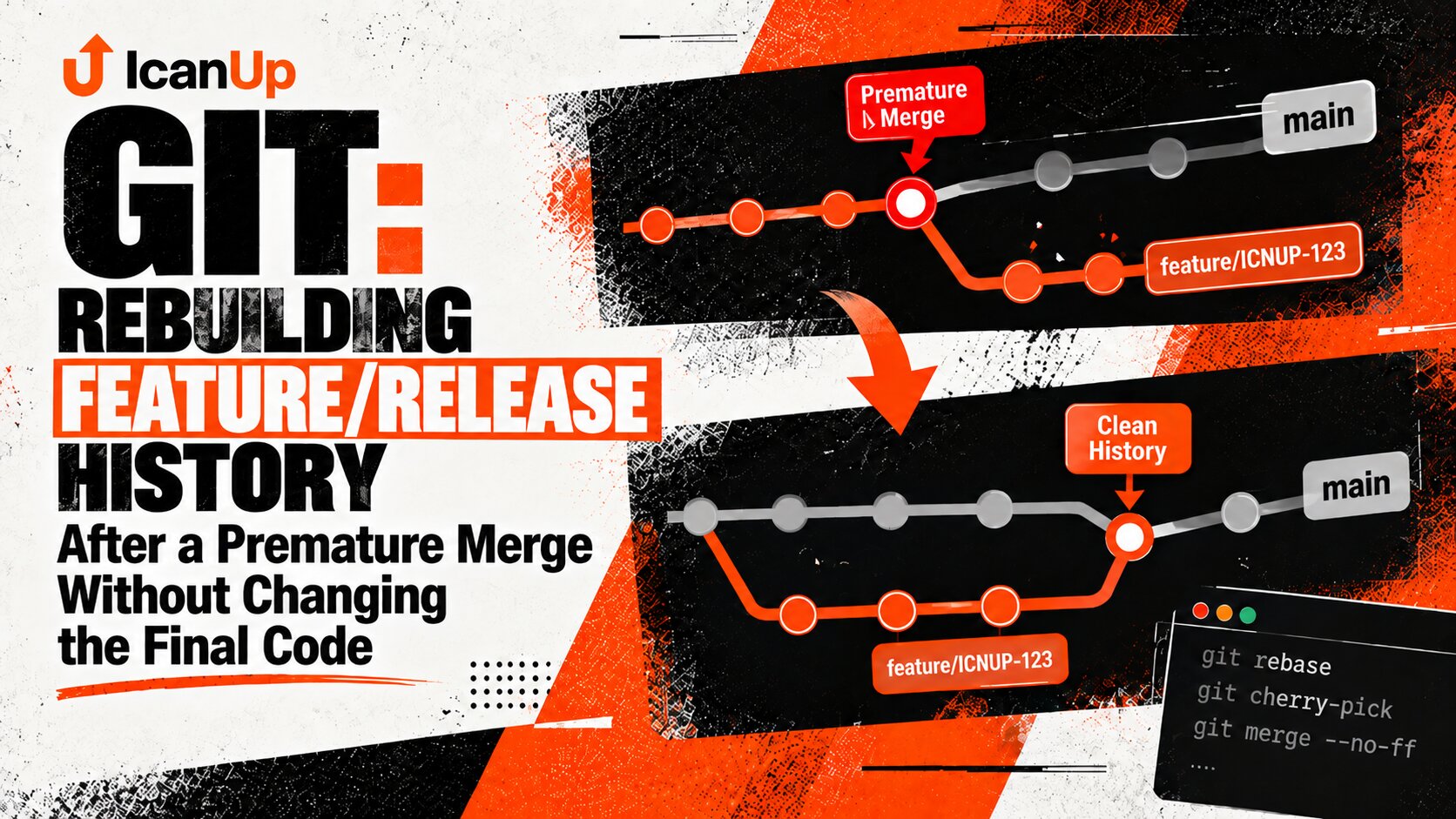
I had already committed my changes and pushed them to the remote repository when I noticed that I had been working on the wrong branch.
At that point, switching branches was no longer enough. The commit existed in local history, the remote branch already pointed to it, and a careless reset or force push could turn a small mistake into lost history.
So I did not start by deleting the commit. I started by preserving it.

When the Commit Is Already on the Wrong Branch
Before a push, this is a relatively simple mistake: the commit exists only locally, so the history is still completely under my control.
After the push, there is another important ref - the remote branch.
In my scenario, the valid commit was the latest commit on the wrong branch. The changes themselves were correct. Only their location in the branch history was wrong.
A---B---C wrong-branch ^ commit that belongs elsewhere A---B correct-branchMy goal had two parts: keep `C` safely and return `wrong-branch` to a state where that commit was no longer part of it.
First Rule: Preserve the Commit Before Rewriting Anything
Preserve first. Rewrite later.
The most dangerous order for me would be resetting the wrong branch first and only then trying to remember the commit hash I still needed.
Git can often recover situations like that through the reflog, but I do not want a normal workflow to depend on a recovery mechanism.
Before any rewrite, I create a separate branch ref pointing to the commit. Once that exists, the commit stays reachable even if I move the other branch pointers.
git fetch origin git log \ --oneline \ --decorate \ --graph \ --all \ -n 20I first identify the exact commit hash and check which refs already contain it. At this point, the graph matters more than the branch name displayed in my shell prompt.
git branch rescue-wrong-branch <BAD_COMMIT>git show \ --stat \ --oneline \ rescue-wrong-branchThe Next Step Depends on What “Correct Branch” Means
There are two different Git scenarios that are easy to mix up.
If I simply need a new branch starting from the same commit and its ancestry is already correct, I can create a branch directly at that commit.
If the correct branch already exists and has its own history, the commit needs to be applied on top of that current history. That is where I use cherry-pick.
Situation | What I do | What happens to the commit |
|---|---|---|
Correct branch does not exist and ancestry is already right | Create a branch at the commit | Commit hash stays the same |
Correct branch already exists | Cherry-pick the commit | A new commit with a new hash is created |
Wrong branch should not be rewritten | Revert on the wrong branch | Original commit stays in history |
Wrong branch can safely be rewritten | Reset + force-with-lease | Branch pointer moves back |
The Correct Branch Does Not Exist Yet
If the commit already has the right parent and the only mistake is the branch name, the cleanest option is simply to create the correct branch at that commit.
git branch correct-branch <BAD_COMMIT> git push \ -u origin \ correct-branchIn this case I am not copying the commit. Both branches temporarily point to the same Git object, so its hash and ancestry remain unchanged.
The Correct Branch Already Exists
This is a different situation.
For example, the commit may have been created on wrong-branch but really belong on an existing correct-branch.
Creating another branch ref is not enough because the commit would keep the ancestry of the wrong branch. I switch to the correct branch and apply the change there with cherry-pick.
git switch correct-branch git pull \ --ff-only origin \ correct-branch git cherry-pick <BAD_COMMIT> git push origin correct-branchOnly Then Do I Repair the Wrong Branch
By this point, the required changes are already safe on the correct branch, and the original commit is also preserved by the rescue ref.
Only now do I decide how to remove it from the wrong branch.
The important question here is not a Git syntax question. It is a workflow question: am I allowed to rewrite the published history of this branch?
When the Branch Can Be Rewritten
If this is my own feature branch, nobody else has based work on it, and the bad commit is the latest commit, I can move the branch pointer back to its parent.
git fetch origin EXPECTED_REMOTE_TIP="$( git rev-parse origin/wrong-branch)"I explicitly capture the commit currently visible at the remote branch tip. I will use that exact value as the lease condition for the later push.
git switch wrong-branch git reset \ --hard \ <BAD_COMMIT>^git push \ --force-with-lease="refs/heads/wrong-branch:${EXPECTED_REMOTE_TIP}" \ origin \ wrong-branchI intentionally use an explicit expected commit. If the remote branch changes after my check, the push should fail instead of silently overwriting newer history.
When Published History Should Not Be Rewritten
For a shared branch, a protected branch, or history that other people may already be using, I would not reset and force-push simply to make the graph look cleaner.
In that situation, the bad commit can remain in history while a new commit explicitly reverses its changes.
That is what git revert is for.
git switch wrong-branch git pull \ --ff-only origin \ wrong-branch git revert <BAD_COMMIT> git push origin wrong-branchThe history is longer after a revert, but it tells the truth: the commit was published, and a later commit explicitly reversed its changes.
Why I Do Not Use Plain `--force`
A force push is not required to move the commit itself.
It appears only because, after the reset, the local wrong branch is no longer a fast-forward continuation of the remote branch.
Plain --force tells Git to replace the remote ref regardless of what happened to it after my last check.
--force-with-lease adds a condition: the rewrite is allowed only while the remote ref still has the value I expect.
Riskier git push --force origin wrong-branch Rewrite the remote branchwithout checking the expected remote tipSafer when a rewrite is justified git push \ --force-with-lease="refs/heads/wrong-branch:<EXPECTED_COMMIT>" \ origin \ wrong-branch Rewrite only while the remote refstill matches the expected stateReset, Revert, Cherry-Pick, and Rebase Solve Different Problems
Command | What it changes | When I use it |
|---|---|---|
git branch <name> <commit> | Creates another ref to an existing commit | Preserve the exact commit or create a branch from the same history |
git cherry-pick | Creates a new commit with the same change on another history | The target branch already exists |
git reset | Moves a local branch pointer | The history is safe to rewrite |
git revert | Adds a new commit that reverses an earlier one | Published history should remain intact |
git rebase | Rebuilds commits on a different base | I need to relocate or restructure a series of commits rather than one simple wrong-branch commit |
For one accidentally pushed commit, rebase is usually not my first tool. It becomes more useful when I need to rebuild several consecutive commits on a different base.
What If More Than One Commit Went to the Wrong Branch?
If I notice the mistake later and several commits are already involved, the main principle stays the same: preserve the complete required tip before changing anything.
But I no longer automatically reset to <first>^ until I inspect the graph.
If merge commits or someone else's work appear between my commits, a simple range may be wrong. At that point, I identify the exact ancestry first and only then choose a cherry-pick range or a rebase.
git log \ --graph \ --decorate \ --oneline \ --allAfter the Fix, I Verify Both Branches
git fetch origin git log \ --oneline \ --decorate \ --graph \ --all \ -n 30The required changes exist on the correct branch
The correct branch has been pushed to the remote
The wrong branch no longer contains the bad commit, or contains an explicit revert depending on the chosen workflow
Remote refs match the expected local state
No unrelated commits were lost
The working tree is clean
The rescue branch is deleted only after the final verification
git statusWhat I Kept for Next Time
Do not start a wrong-branch repair with reset
Create a ref that safely preserves the required commit first
Creating a branch at a commit and cherry-picking are different operations: the first keeps the hash, while the second creates a new commit
Do not rewrite shared history just to make the graph look cleaner
When a rewrite is genuinely justified, use --force-with-lease instead of plain --force
Inspect the Git graph before any more complicated history operation instead of guessing the ancestry
Conclusion
A commit on the wrong branch turned out to be less about memorizing Git commands and more about doing things in the right order.
If I immediately think “how do I delete this commit?”, it is easy to start with the most destructive part of the process: reset and force push.
I do the opposite. I preserve the commit first, make sure the correct branch already contains the required change, verify the history, and only then repair the wrong ref.
Once I started looking at the problem this way, Git history became much less intimidating. It is a graph of commits and refs. When I know which pointer needs to stay and which one needs to move, repairing the mistake becomes much more predictable.
I preserve the correct history first. Only then do I rewrite the wrong one.