A deployment script can complete every command successfully and still leave the application unavailable.
Code was fetched. Dependencies installed. Migrations completed. The active release switched. The deployment command returned exit code 0.
But that still does not mean a user can open the site and receive a valid response.
A deployment is technically complete only when the activated application passes its health verification.
Deployment Finished Does Not Mean the Application Is Healthy
After the new release becomes active, a problem may appear only when the application actually runs.
For example:
- PHP-FPM cannot load the new code;
- the application fails while booting the dependency container;
- configuration built successfully but a required external dependency is unavailable;
- Nginx points to the wrong directory or socket;
- the queue stops processing after process restart;
- a WebSocket server or another critical process did not start.
None of these failures necessarily breaks the release-switch command itself.
Start With a Real HTTP Request After the Switch
curl \ --fail \ --silent \ --show-error \ https://example.com/healthThe request should pass through the same path used by a real client: web server, PHP-FPM, and the active application.
Checking only that a file or release directory exists does not prove that the full request path works.
curl --fail also turns an unsuccessful HTTP status into a command failure so the deployment script can react.
A Health Check Should Prove Enough Without Doing Everything
A health endpoint should not run a large test suite or execute heavy business operations.
Its job is to answer quickly whether the active application can process a basic request and whether critical dependencies required for operation are available.
For example, it may confirm that Laravel booted and the database is reachable. It should not create orders, send emails, or mutate production data.
One Health Endpoint May Not Be Enough
A dedicated health endpoint can be green while a user-facing route is still broken.
After the basic health request, it can be useful to make one or more short requests to critical public routes: the home page, a primary API endpoint, or another safe read-only path.
curl \ --fail \ --silent \ --show-error \ --output /dev/null \ https://example.com/ curl \ --fail \ --silent \ --show-error \ --output /dev/null \ https://example.com/api/statusAn HTTP Response Does Not Prove Background Runtime Is Healthy
A Laravel application may respond correctly over HTTP while part of the system is still unavailable.
If the product depends on queues, the scheduler, a WebSocket server, or a separate SSR process, their runtime state is also part of deployment success.
The deployment flow should therefore know which processes are critical for this application.
supervisorctl statussystemctl is-active php8.5-fpmsystemctl is-active nginxA Running Process Does Not Always Prove Useful Work
Even RUNNING or active is not always enough.
A process may exist but be unable to reach Redis, the database, or the required queue.
For critical background mechanisms, consider a way to confirm not only process existence but also its ability to perform required work.
This may be a safe operational metric, queue-lag check, or another side-effect-free signal.
Use a Short Bounded Retry After Restart
for attempt in 1 2 3 4 5; do if curl \ --fail \ --silent \ --show-error \ --output /dev/null \ https://example.com/health then exit 0 fi sleep 2done exit 1A newly restarted process may need a second or a few seconds before it can respond.
A single immediate check can therefore produce a false failure, but waiting forever is also wrong.
Use a small bounded retry window after which the deployment is unambiguously considered failed.
SUCCESS Belongs After Health Verification, Not After File Deployment
prepare -> deploy -> migrate -> switch release -> restart required processes -> HTTP health check -> critical route checks -> runtime checks only then: SUCCESSThis is an important semantic boundary for CI/CD.
If the system reports success immediately after git checkout, file copying, or a symlink switch, it proves only that the file operation completed.
For the user, a successful deployment means something else: the new version is available and performs the required work.
A Failed Post-Deploy Check Should Trigger Rollback
If the new release is already active but health verification fails, merely marking the pipeline red is not enough.
Users may already be receiving errors.
If deployment supports a safe automatic rollback, this is where it becomes valuable: restore the previous release, restart the required processes, and only then finish the failed deployment.
new release active -> health FAILED -> rollback previous release -> restart required processes -> verify previous release -> deployment FAILED, service restoredThe Rollback Must Be Verified Too
A rollback command may complete successfully without proving that service was restored.
After restoring the previous release, repeat the same short checks: HTTP response, critical route, and required runtime processes.
Otherwise, we only replace an unverified deployment with an unverified rollback.
Code Rollback Is Not Automatically Database Rollback
Automatic rollback is simplest when database changes remain compatible with the previous application release.
If a migration removed a column or irreversibly transformed data, restoring old code may no longer restore service.
Rollback capability therefore begins while designing schema changes: where practical, the new and previous releases should remain compatible for a short transition period.
Preflight and Post-Deploy Checks Cover Different Risks
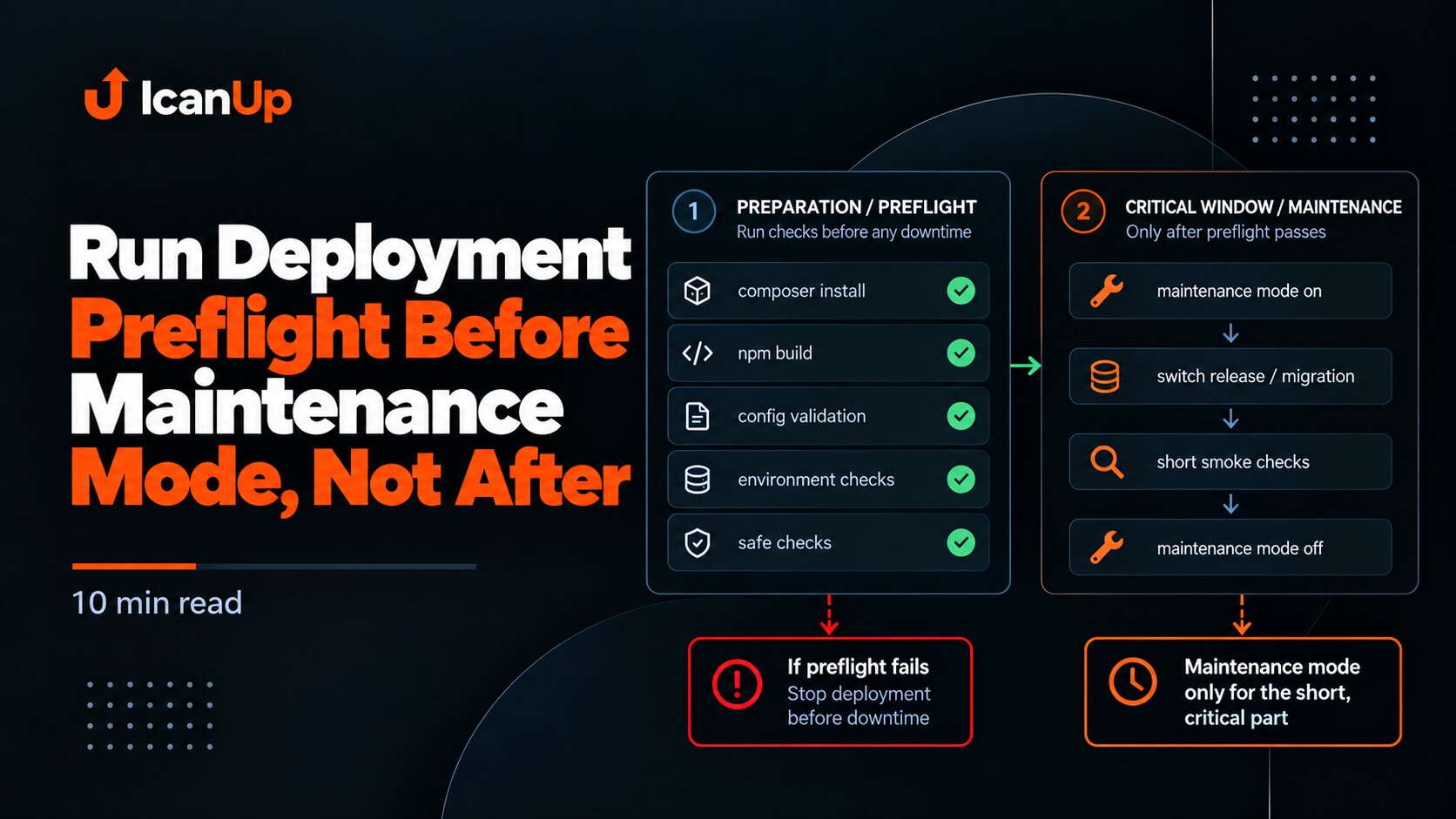
In the separate article about deployment preflight before maintenance mode I covered a different boundary: build, dependencies, and configuration should be verified before the site becomes unavailable.
But even perfect preflight cannot observe everything that happens after the new release becomes active.
The deployment flow therefore needs two separate guarantees:
- before the switch - the new release is prepared enough to activate;
- after the switch - the activated release actually works.
This also continues the principle from the article about a release branch as an integration boundary: each process boundary needs its own readiness criterion.
Verified code in a branch does not guarantee a successful deployment, just as successful file deployment does not guarantee a healthy application.
What to Test in CI/CD
1. The pipeline does not report SUCCESS immediately after the release switch.2. A failed HTTP health check marks deployment as failed.3. A critical public route is checked after the switch.4. Required runtime processes are verified.5. Short retries have a bounded attempt count.6. A failed health check triggers rollback when rollback is safe.7. HTTP and runtime are verified again after rollback.8. SUCCESS is reported only after all required checks pass.Deployment Success Is Defined by a Working Service, Not the Last Command
CI/CD should not confuse successful script execution with a successful system state.
After the new release becomes active, at minimum verify the HTTP response and critical runtime processes. If those checks fail, deployment is not successful.
If a rollback follows, the rollback result must be verified too.
The correct SUCCESS boundary is not the last deployment command. It is proof that the active application actually works.
Deployment is complete not when the files are in place, but when the active release has proven that it works.