Vue watchEffect(): Let Vue Track Dependencies When They Are Truly Implicit
Use watchEffect() when a side effect naturally reads all reactive values it depends on. Keep watch() when the source must be controlled explicitly.
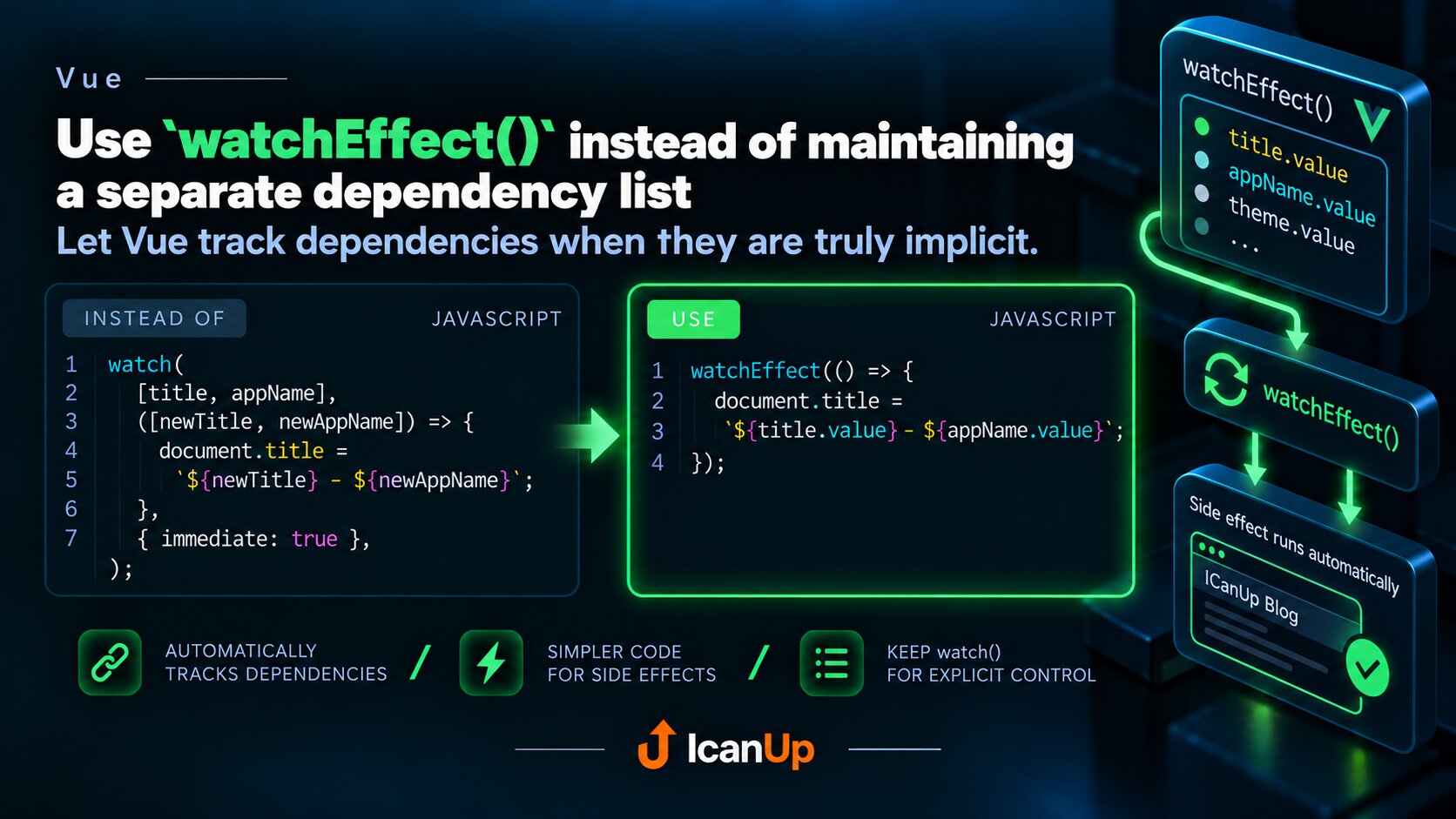
Sometimes a side effect simply depends on several reactive values that it already reads. In that case, there is no need to separately list every source in watch().
watchEffect() automatically tracks reactive dependencies accessed while it runs.
Instead of Maintaining a Separate Dependency List
watch( [title, appName], ([newTitle, newAppName]) => { document.title = `${newTitle} - ${newAppName}`; }, { immediate: true, },);watchEffect(() => { document.title = `${title.value} - ${appName.value}`;});Here the dependencies are already visible inside the effect itself: it reads title.value and appName.value. Vue can track them automatically.
If either value changes, watchEffect() runs again. It also runs immediately when created, so a separate immediate: true option is unnecessary.
When watch() Is Better
watch( search, (newSearch, oldSearch) => { if (newSearch !== oldSearch) { loadResults(newSearch); } },);watch() is a better fit when you need to explicitly define the watched source, access both the new and previous values, or avoid running the callback immediately.
watchEffect() is useful when the dependencies naturally follow from the side effect itself.
Be Careful with Async Callbacks
watchEffect(async () => { const id = userId.value; const response = await loadUser(id); profile.value = response;});watchEffect() automatically tracks reactive values accessed during the synchronous part of its execution. With an async callback, dependencies accessed only after the first await may not become dependencies of that effect.
Read important reactive values before the first await.
Use watchEffect() when the dependencies are obvious from the effect itself and Vue can discover them automatically. Use watch() when you need explicit control over exactly what triggers the callback.