Open Graph was already working on Post pages in ICanUp. When I shared a URL in Telegram, the card included the title, description, and cover image.
LinkedIn behaved differently: the preview was missing or rendered incorrectly.
That was the point where I realized that a correct card in one messenger does not prove that the Open Graph contract is complete.

What Already Worked Before the Audit
It was important not to rebuild functionality that was already working.
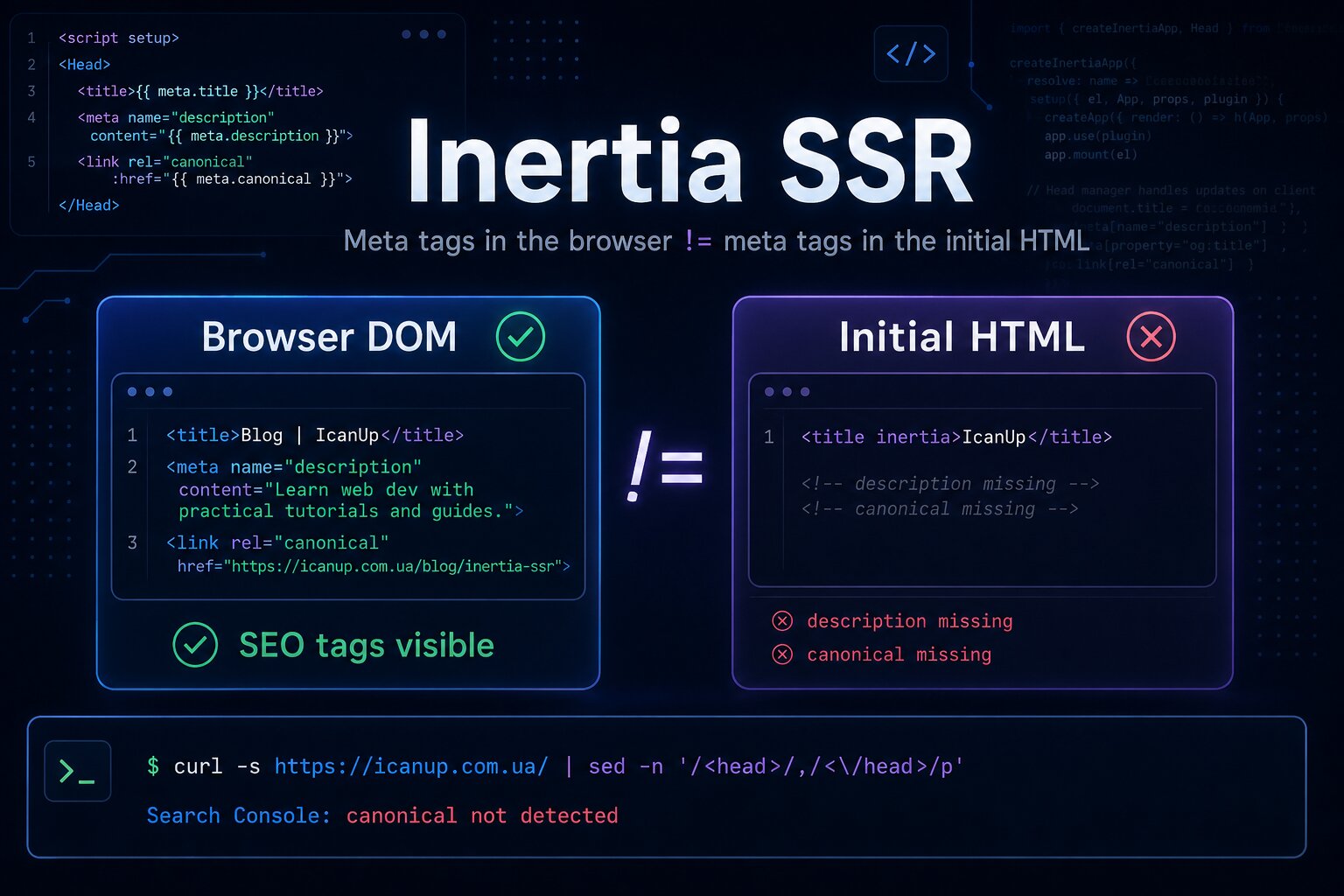
The Post page already had the main Open Graph and Twitter Card metadata, and Inertia SSR included it in the initial HTML.
og:titleog:descriptionog:typeog:urlog:site_nameog:localeog:imageog:image:widthog:image:height- Twitter Card metadata
- absolute URLs for canonical and the social image
- a fallback image for a Post without a cover
- localized UK and EN titles and descriptions
Telegram Working Was Not Enough Proof
Telegram could already build a useful card from the existing metadata.
It would have been easy to treat that as proof that the server-side implementation was finished.
Different platforms have their own crawlers, validation behavior, and caches. One platform may accept a weaker metadata set while another exposes a gap.
My real question became not "does Telegram work?" but "is the public metadata contract complete and stable?".
I Started with the Initial HTML
A crawler cannot reliably use a meta tag that only appears after JavaScript runs.
My first check was therefore not DevTools after hydration, but the HTML returned by the server.
curl -s \ https://icanup.com.ua/en/posts/example-slug \ | grep -E 'og:|twitter:'I had already learned this lesson in another Inertia SSR case where meta tags existed in the browser but were missing from the initial HTML.
The same check matters for social previews.
Open Graph Needs to Describe the Current Public Post Page
Inside the application, the domain entity is a Post. The value article in og:type belongs to the Open Graph vocabulary and does not rename the domain model.
Each localized page needs metadata describing the public Post page currently being requested.
<meta property="og:title" content="Localized Post title"><meta property="og:description" content="Localized description"><meta property="og:type" content="article"><meta property="og:url" content="https://example.com/en/posts/example-slug"><meta property="og:image" content="https://example.com/media/social-image.png">Then I Compared a Normal Request with LinkedInBot
The next question was simple: does LinkedIn receive the same server-rendered HTML as a normal visitor?
If middleware, security rules, or another server-side layer behaves differently for a crawler, a browser check will not reveal it.
curl -s \ -A 'Mozilla/5.0' \ https://icanup.com.ua/en/posts/example-slug \ > /tmp/browser.html curl -s \ -A 'LinkedInBot' \ https://icanup.com.ua/en/posts/example-slug \ > /tmp/linkedin.html grep -E 'og:|twitter:' \ /tmp/browser.html grep -E 'og:|twitter:' \ /tmp/linkedin.htmlog:image Is More Than a URL
Having og:image does not guarantee that a crawler can use the file.
The social image is a separate HTTP resource. It needs to be public, available through HTTPS, and return a valid response without authentication.
I started treating the image as part of the crawler-facing HTTP contract instead of merely something that looked correct in a browser.
curl -I \ https://icanup.com.ua/path/to/social-image.pngExpected: HTTP 200Content-Type: image/png or HTTP 200Content-Type: image/jpeg- Public HTTPS URL.
200 OKresponse.- No Basic Auth or other authentication.
- No access error.
- No unexpected redirect.
- Correct
Content-Type. - JPG or PNG format.
Dimensions and MIME Type Need to Match the Real File
Another risk is hardcoding width, height, or type and later replacing the cover with a different file.
The HTML then describes one image while the server actually returns another.
Image metadata should come from the real media file or from a dedicated social-preview asset.
<meta property="og:image" content="https://example.com/media/post-cover.png"> <meta property="og:image:width" content="1200"> <meta property="og:image:height" content="630"> <meta property="og:image:type" content="image/png">1200 x 630 Is Convenient, but the Values Must Be Real
A dedicated social image around 1200 x 630 is convenient, but those numbers should not become a hardcoded promise.
If the actual file has different dimensions, Open Graph should expose its real properties or use a properly prepared social image.
Image Alt Became Part of the Contract Too
It is easy to focus only on the title, description, and image URL.
A more complete metadata set also describes the social image itself.
<meta property="og:image:alt" content="Localized Post preview image"> <meta name="twitter:image:alt" content="Localized Post preview image">UK and EN Should Not Share One Metadata Text
In ICanUp, one Post entity can have localized public representations.
The UK and EN pages therefore need their own title, description, URL, and locale metadata.
LinkedIn should never receive an EN URL combined with a UK description, or the other way around.
Metadata | UK | EN |
|---|---|---|
og:title | Ukrainian title | English title |
og:description | Ukrainian description | English description |
og:url | /posts/shared-slug | /en/posts/shared-slug |
og:image:alt | Ukrainian alt | English alt |
This continues the same URL contract I use for canonical and hreflang on multilingual Laravel pages.
The Fallback Image Needs Its Own Verification
Not every Post necessarily has its own cover.
Social metadata therefore need a safe fallback that is also publicly accessible and has correct image properties.
The fallback should not be only a frontend placeholder that is missing from the initial HTML.
Post has cover-> use Post social image Post has no cover-> use public fallback image Both paths:-> absolute HTTPS URL-> public 200 response-> correct image metadataInertia Navigation Added Another Risk - Duplicate Meta Tags
SSR solves the initial HTML problem, but the application continues through Inertia navigation after that.
If metadata elements do not have stable identity in the head manager, navigation can leave duplicates or stale values behind.
Social metadata need to remain unique both after SSR and after client-side navigation.
- One
og:title. - One
og:description. - One
og:url. - One current
og:image. - No stale meta tags from the previous Post.
- Stable head keys for metadata management.
Browser DevTools Were Not Enough
After this case, I stopped treating a single browser screenshot as sufficient verification for social preview.
I now think in several verification layers.
Layer | What I verify |
|---|---|
HTML | Open Graph and Twitter Card exist before JavaScript |
Crawler | LinkedInBot receives the same metadata |
Image | HTTPS, 200, Content-Type, dimensions |
Localization | UK and EN have the correct values |
Inertia | Meta tags stay unique after navigation |
Platform | Result through inspector or debugger |
Platform Cache Can Hide an Already Fixed Result
Even after the HTML is fixed, LinkedIn may continue showing an older card for some time.
A social platform does not necessarily fetch a URL again every time it is shared.
After changing metadata, I therefore verify the URL through the platform inspector and request a fresh crawl.
LinkedIn Post Inspector Became Part of Final Verification
- Inspect the URL with LinkedIn Post Inspector.
- Check the card after a fresh crawler fetch.
- Verify the image URL.
- Repeat the test in Telegram.
- Check WhatsApp or another messenger.
- Use Meta Sharing Debugger when useful.
What Did Not Need to Change
This audit did not require changing the Post design or rebuilding the SSR architecture.
There was also no reason to change canonical or hreflang when those already generated the correct locale-aware URLs.
The problem needed to stay scoped to the social-preview contract instead of triggering a rewrite of the whole SEO infrastructure.
Open Graph and BlogPosting Have Different Roles
A Post page can contain both Open Graph metadata and JSON-LD.
They describe the same public page but serve different purposes.
Open Graph is primarily used to build previews when a URL is shared, while Schema.org BlogPosting provides a structured representation of the Post.
I described the second contract separately in my article about Laravel JSON-LD BlogPosting, the author entity, canonical URL, and localized metadata.
My Social Preview Verification Order
- Open the raw HTML with
curl. - Confirm that Open Graph exists without JavaScript execution.
- Compare a normal User-Agent with LinkedInBot.
- Verify the absolute
og:url. - Verify the absolute HTTPS
og:image. - Send a separate HEAD request to the image.
- Compare real width, height, and MIME type.
- Check
og:image:altandtwitter:image:alt. - Verify UK and EN separately.
- Confirm that Inertia navigation does not create duplicates.
- Refresh platform cache through the inspector.
- Check the real preview again.
What I Would Avoid
- Do not treat Telegram as the only Open Graph test.
- Do not verify metadata only in DevTools after hydration.
- Do not hardcode width and height when the real file can change.
- Do not point
og:imageat a URL that requires authentication. - Do not ignore the image MIME type.
- Do not combine a UK title with an EN URL.
- Do not leave duplicate meta tags after Inertia navigation.
- Do not diagnose production only from an old cached preview.
A good Telegram card is a useful signal, but only the raw HTML, crawler response, and real image contract show whether social metadata are actually reliable.
What I Kept for Next Time
- Verify social metadata in the initial HTML.
- Test crawler User-Agents separately.
- Treat the social image as a full part of the HTTP contract.
- Expose properties that match the real media file.
- Localize title, description, URL, and alt text.
- Keep a public fallback for Posts without covers.
- Prevent duplicate head metadata after Inertia navigation.
- Account for platform-specific caching after deployment.
- Do not rebuild the entire SEO architecture because one preview fails.
Conclusion
This case was interesting because Open Graph was not completely broken. Telegram was already rendering a useful Post card.
LinkedIn forced me to inspect the contract more deeply: initial HTML, the LinkedInBot response, social image URL, HTTP headers, real file properties, localization, duplicate head tags, and platform caching.
In ICanUp, social preview stopped being just a handful of og:* tags after that.
A reliable preview is a complete chain from the Post and Inertia SSR to a public image URL and the crawler that needs to read all of it.