In the ICanUp Media Explorer, I noticed the order of folders whose names were numeric.
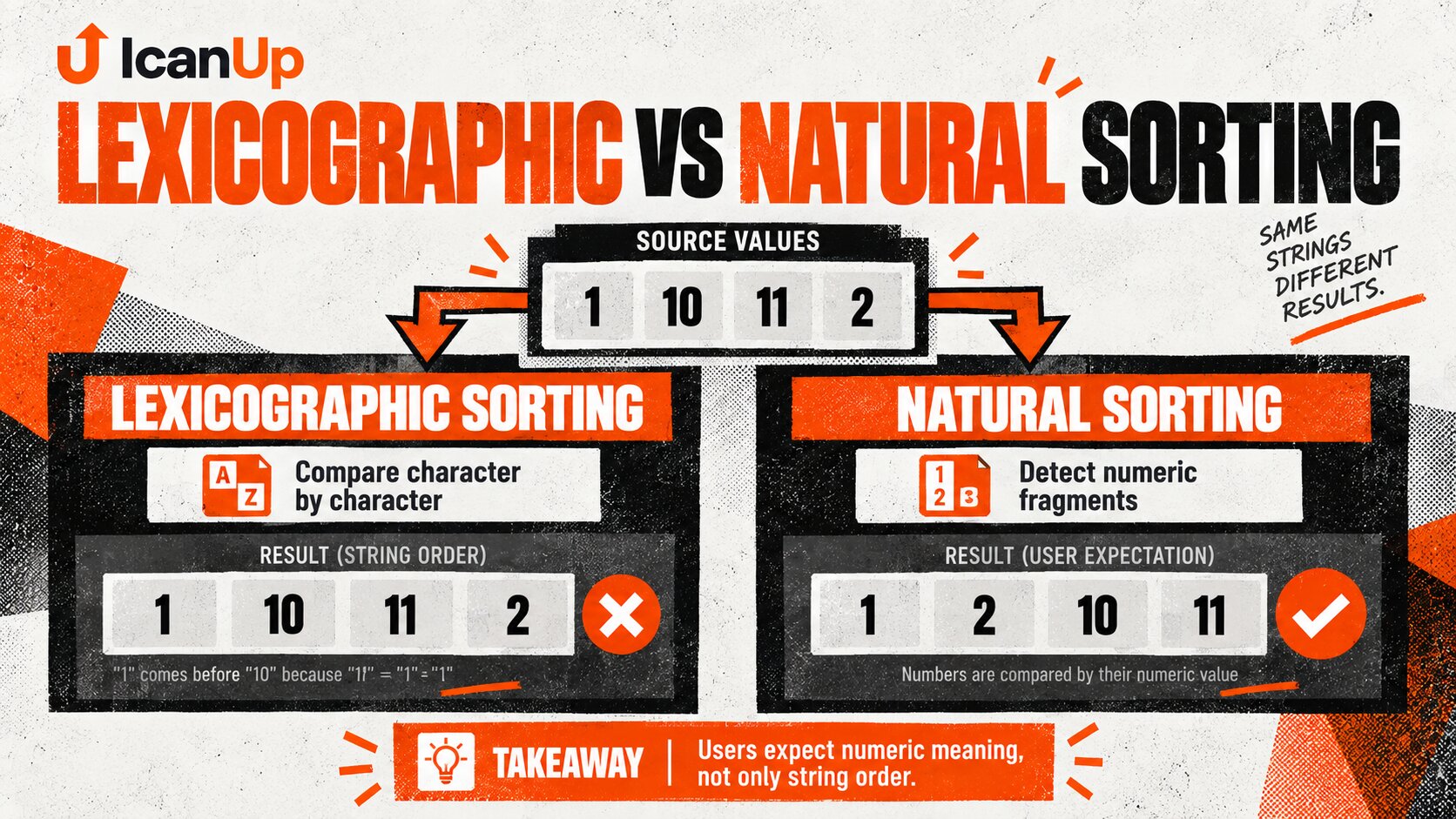
Instead of the expected 1, 2, 3, 4, 10, 11, 12, the interface displayed 1, 10, 11, 12, 13, ..., 19, 2, 3, 4.
At first, this looks like an obvious sorting bug.
But for ordinary string comparison, the result is completely logical. The computer is not sorting incorrectly. The real problem is that lexicographic order and the order a person expects are not always the same.
The Real Symptom Was Very Simple
The Media Explorer tree contained folders whose names were numbers.
The current order looked roughly like this:
1101112131415161718192345...The user expects another order:
12345...10111213...19Why the String "10" Comes Before "2"
Ordinary string sorting does not convert folder names into numbers.
It compares characters from left to right.
"10""2" first character: "1" < "2" therefore: "10" < "2"The sequence 1, 10, 11, 12, 2 is therefore not random.
It is valid lexicographic ordering.
The bug was not that strings were sorted incorrectly. The wrong comparison model was being used for this interface.
Natural Sorting Understands Numeric Fragments
Natural sorting tries to compare names more like a human reader would.
Numeric fragments are treated as numbers.
folder1folder2folder3folder10folder11Instead of:
folder1folder10folder11folder2folder3PHP Already Has Natural Comparison
For a small list, the core idea can be demonstrated very compactly.
$names = [ '1', '10', '11', '2', '3',]; usort( $names, 'strnatcasecmp',);The resulting order matches user expectations:
1231011Why I Prefer Case-Insensitive Comparison Here
Media Explorer names do not have to contain only digits.
Real names may look like this:
Archive2archive10Archive11assets1Assets2If letter case has no separate meaning for the user, strnatcasecmp() provides natural comparison without artificially splitting uppercase and lowercase names.
Equal Results Still Need a Tie-Breaker
After case-insensitive comparison, two different strings can still compare as equal.
For example, Assets2 and assets2.
A secondary deterministic rule is useful for that case.
$compareNames = static function ( string $left, string $right,): int { $natural = strnatcasecmp( $left, $right, ); if ($natural !== 0) { return $natural; } return strcmp( $left, $right,The first rule determines natural order. The second is used only when the first cannot distinguish the strings.
Media Explorer Should Sort by the Visible Name, Not the ID
The user understands the order through what is visible in the tree.
A database ID has no reason to match name order.
id: 105 name: 2id: 106 name: 10id: 107 name: 1Ordering by id may accidentally look correct on a tiny dataset, but it represents a different contract.
Folders and Files Do Not Have to Be Mixed
There is another separate decision when one view contains both folders and files.
I do not want natural sorting to accidentally mix entity types if the Media Explorer conceptually presents folders as their own group.
Folders:1210Archive2Archive10 Files:image1.pngimage2.pngimage10.pngThere are two independent rules:
- first determine the item group;
- then apply natural sorting by visible name inside that group.
One Shared Sorting Rule Is Better Than Several Similar Ones
Media Explorer may expose its tree or resource lists in more than one place.
I do not want one screen to display 1, 2, 10 while another returns to 1, 10, 2.
The comparison rule should therefore be shared wherever the same ordering contract applies.
final class MediaNameComparator{ public function compare( string $left, string $right, ): int { $natural = strnatcasecmp( $left, $right, ); return $natural !== 0 ? $natural : strcmp($left, $right); }}Sorting After Pagination Can Still Produce the Wrong Global Order
For a small tree, loading the complete sibling set and sorting it in memory can be sufficient.
Once the list becomes large and pagination appears, however, ordering needs to be determined before the result is split into pages.
Wrong for global ordering: database | vpage 1 | vsort page 1 only Correct contract: database / application ordering | vOtherwise, every page can be internally sorted while the complete list remains globally incorrect.
A Pagination Example
Imagine the source data is split first:
Page 1:11011 Page 2:1223Sorting each page independently gives:
Page 1:11011 Page 2:2312The user still sees 1, 10, 11, 2, 3, 12 across the complete sequence.
At Scale, the Rule Stays the Same but the Execution Point Changes
Natural ordering for a few dozen sibling folders and for tens of thousands of files has the same UX contract but very different implementation constraints.
Dataset size | Practical direction |
|---|---|
Small complete list | Sorting the loaded set in PHP can be enough |
Paginated list | Ordering must be established before pagination |
Large directory | Consider a sortable key or query-level strategy |
Very large directory | Consider indexes, stable order, and query cost |
I do not want to load thousands of records into PHP just to sort the first 25 correctly.
As Media Explorer grows, natural order needs to become part of the server-side list contract rather than a cosmetic operation applied after the API response.
A Precomputed Sort Key Is One Possible Scaling Strategy
If natural sorting becomes a frequent operation on a large paginated dataset, a normalized sort key is one possible direction.
name: image2.pngsort key: image0000000002.png name: image10.pngsort key: image0000000010.pngThis is a scaling optimization, not a requirement for the original bug fix.
I do not want to make the system more complicated before the actual dataset justifies it.
Mixed Names Need a Predictable Contract Too
A real folder list rarely remains purely numeric forever.
It may eventually contain values such as:
1210archiveArchive2Archive10draft1draft2draft20A natural comparator handles numeric fragments inside text well, but the product still needs to define the overall expected order.
For example, should numeric-only folders come before text folders, or should every name pass through the same comparator?
Leading Zeros Belong in the Test Matrix
Another useful edge case is:
10100120210Some values may represent the same numeric value while still being different strings.
This is another reason to keep a deterministic secondary comparison rule.
Natural Sorting Is Not Full Locale-Aware Collation
Natural comparison solves numbers embedded in names.
If Media Explorer eventually needs culturally correct ordering for large sets of localized names, that becomes a separate problem.
At that point, locale-specific collation should be considered rather than expecting one natural comparator to solve every language rule.
The Regression Test Matters More Than the Comparator
The comparison function may contain only a few lines.
Without a regression test, however, an API or tree refactor can easily bring ordinary string sorting back months later.
$names = [ '1', '10', '11', '2', '3',]; usort( $names, 'strnatcasecmp',); expect($names)->toBe([ '1', '2',I Want More Than the Happy Path
Scenario | What I verify |
|---|---|
Numeric names only |
|
Text with numbers |
|
Different letter case | Case does not destroy natural order |
Mixed numeric/text names | Order stays stable and predictable |
Leading zeros | Equal numeric values have a deterministic tie-break |
Empty collection | No error |
Single item | Order does not change |
File Names Have the Same UX Problem
The original problem in my case was visible on numeric folder names.
The same principle is easy to recognize in file names:
image1.pngimage10.pngimage11.pngimage2.pngA person normally expects:
image1.pngimage2.pngimage10.pngimage11.pngOnce a shared comparison rule exists, it can be reused wherever the UX requires the same ordering.
I still do not want to change every string sort in the application simply because natural sorting works well in a file explorer.
Sorting Belongs to the Contract of a Particular List
This boundary matters.
Natural sorting makes sense in Media Explorer because humans read folder and file names.
Another list may correctly sort by date, status, priority, or exact lexical value.
I therefore do not make natural sorting a global behavior for every string field.
What I Do Not Do After This Bug
- Do not call lexicographic sorting broken when it simply does not match the UX contract.
- Do not convert every folder name to an integer because names can contain text.
- Do not implement separate comparators in multiple Media Explorer components.
- Do not sort only the current page when the complete list is paginated.
- Do not use a database ID as a substitute for ordering by visible name.
- Do not ignore case differences and mixed numeric/text names.
- Do not build a complex large-scale optimization while the current dataset is small.
- Do not apply natural sorting to every list in the application without a separate need.
My Short Natural Sorting Checklist
- Define the order the user actually expects.
- Distinguish lexical comparison from natural comparison.
- Sort by the visible name rather than the ID.
- Use natural comparison for numeric fragments inside text.
- Decide whether letter case should affect ordering.
- Add a deterministic tie-breaker.
- Test numeric, text, and mixed names.
- Test leading zeros separately.
- Keep folders and files in separate groups if the UX requires it.
- Use one shared sorting rule for one ordering contract.
- For pagination, establish global ordering before splitting into pages.
- Protect the expected order with regression tests.
Correct sorting is not defined by how easy it is to compare two strings. It is defined by the order the user expects from that particular list.
Conclusion
The numeric-folder bug in the ICanUp Media Explorer is a good example of technically correct behavior being wrong for the interface.
String sorting honestly places 10 before 2 because it compares the first characters. A person reads those values as numbers and expects 1, 2, 3, 10, 11.
Natural sorting bridges that difference, while case-insensitive comparison helps with realistic mixed names.
But the comparator is only part of the problem. A paginated list needs global ordering before pagination. A reusable component should not duplicate the rule. And a very large Media Explorer may eventually need a more scalable way to produce the same order.
My main lesson is simple: 1, 10, 11, 2 may be correct string order, but a file explorer is not built for strings. It is built for people.