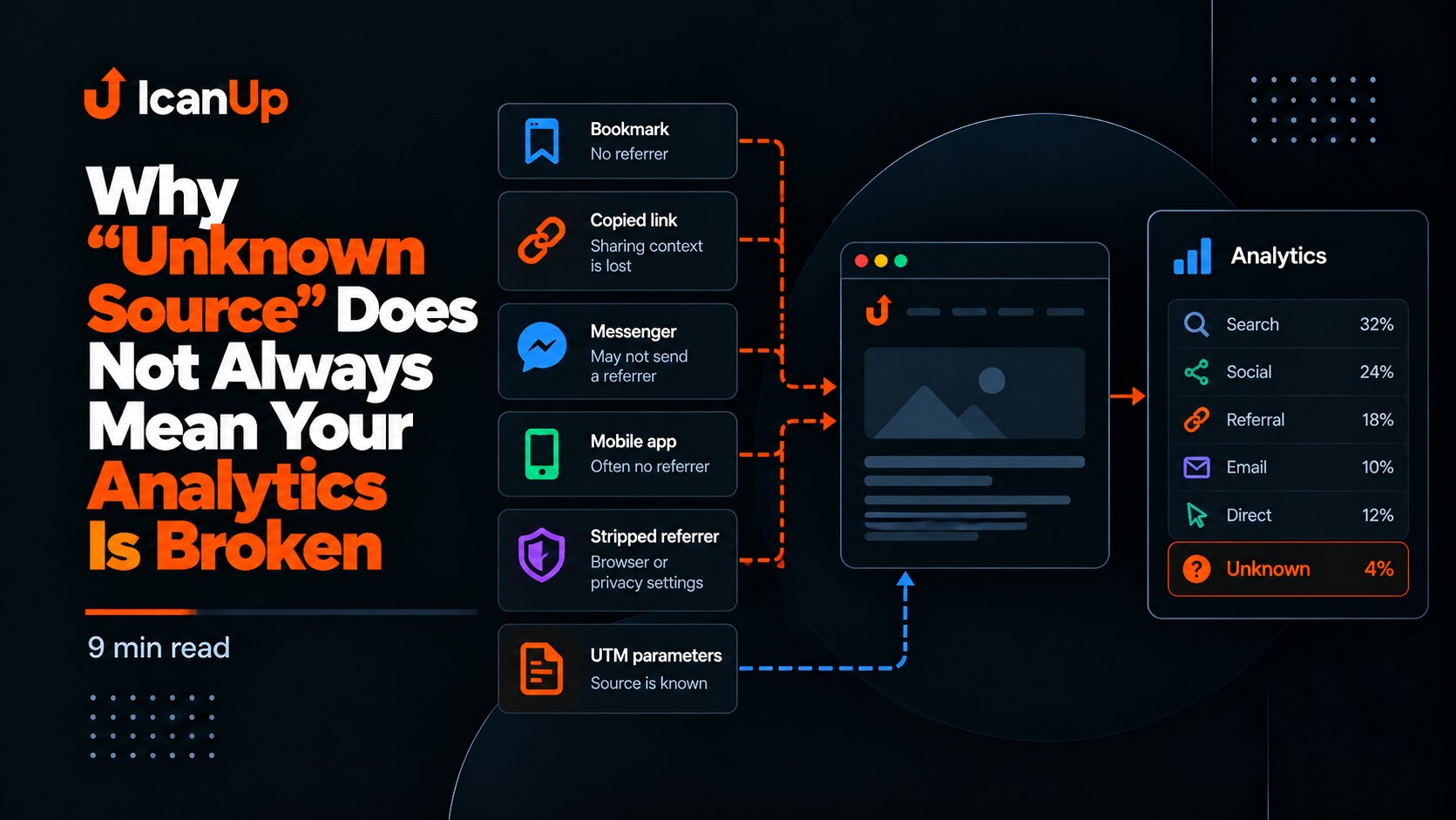
As custom Analytics in ICanUp accumulated more data, I found a problem that is easy to miss at low traffic volumes: humans and automated traffic were being aggregated into the same analytical views.
A large Direct source, a country, or a browser could look like a property of my real audience even when crawlers generated part of that traffic.
The numbers were technically correct, but they were becoming easy to interpret incorrectly.
The First Signal Was That Direct No Longer Meant Only Humans
Traffic Sources and Traffic Channels made the problem particularly visible.
When a crawler arrives without useful referral context, its view can land in the same aggregate that I later interpret as human behavior.
Bot traffic can similarly affect Countries, Devices, Browsers, and Operating Systems.
Mixed metric | Risky interpretation |
|---|---|
Direct | All of these views came directly from people |
Country | This is the geography of my real audience |
Browser | These are the browsers my readers use |
Total views | This represents human attention |
I Did Not Build a Separate Analytics Pipeline for Bots
Tracking already had a canonical is_bot dimension.
A separate table, separate event store, or second set of aggregates for bot traffic would have duplicated the analytics architecture.
I kept one Analytics pipeline and made visitor class another reusable filter.
Existing Analytics data | v is_bot / \ false true | |Humans Bots \ / AllThe Contract Became Simple: Humans, Bots, and All
A typed visitor-class contract was added at the application layer.
For the Analytics user, it becomes three clear modes.
Mode | Population |
|---|---|
Humans |
|
Bots |
|
All | No visitor-class restriction |
Historical rows where classification was not yet available should not be retroactively labelled Human or Bot.
They naturally remain available under All.
Humans Became the Default Mode
For everyday blog analysis, the real audience is my primary concern.
The visitor-class default and reset state therefore became Humans rather than All.
All is useful for the technical picture, but it should not silently become the denominator for audience analysis.
One Filter Needs to Change Every Related Block
Filtering only the headline total would not have been enough.
If the top of the dashboard says Humans while Countries or Traffic Sources still include bots, the dashboard contradicts itself.
- Views.
- Deduplicated views.
- Countries.
- Devices.
- Browsers.
- Operating Systems.
- Traffic Channels.
- Traffic Sources.
- Daily data.
- Hourly data.
- Detail and drill-down queries.
The Most Important Detail Was the Percentage Denominator
This is where a visitor filter can easily be implemented only halfway.
Imagine 100 views in a period: 60 Human and 40 Bot. Of the Human traffic, 30 views came from Ukraine.
In Humans mode, Ukraine should represent 50%, not 30%.
All:100 views Humans:60 views Human views from Ukraine:30 Correct in Humans mode: 30 / 60 = 50% Wrong:After population narrowing, I therefore recalculate not only rows but also totals, coverage, and percentages.
Deduplicated Views Need to Belong to the Active Population Too
The same rule applies to deduplicated views.
Humans mode should not receive a deduplicated total that still includes bot rows.
I also deliberately avoid calling this metric the exact number of unique people.
Other Filters Must Not Reset
Visitor class does not exist independently from the rest of the dashboard.
When I switch Humans to Bots, the period, locale, page type, and content filters must stay unchanged.
Period: Last 30 daysLocale: ENPage type: PostContent: selected PostVisitor: Humans | | change only Visitor v Period: Last 30 daysLocale: ENPage type: PostContent: selected PostVisitor: BotsVisitor Class Became Part of Query Identity
The new filter introduced another less obvious risk: caching.
If a cache key contains period and locale but not visitor class, a Humans request can receive a result previously built for Bots or All.
The population filter needs to be part of canonical query and cache identity just like the other query parameters.
Bad cache identity: analytics:30d:en:posts Better: analytics:30d:en:posts:humansanalytics:30d:en:posts:botsanalytics:30d:en:posts:allHuman vs Bot Was Only the First Layer
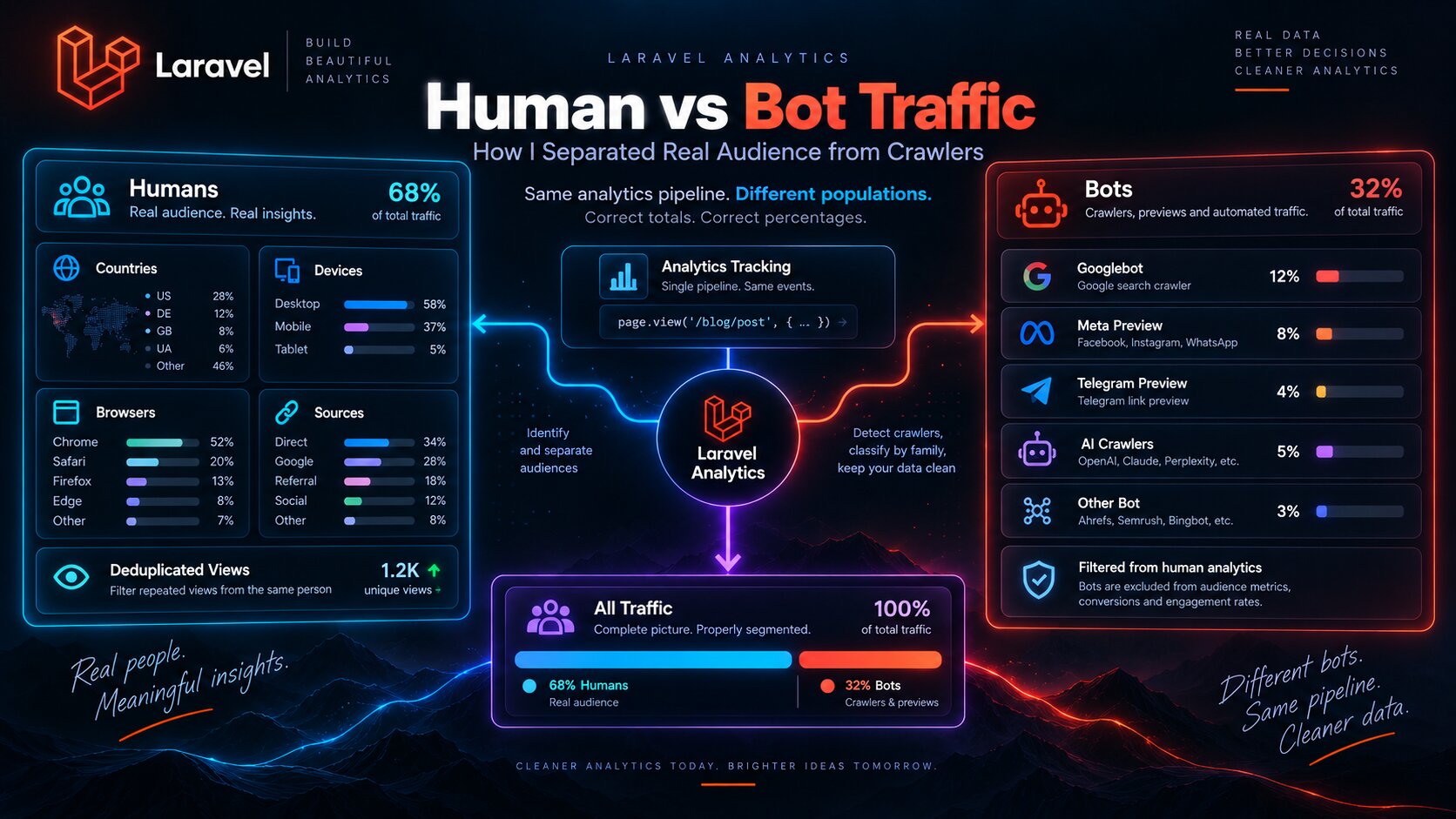
Once Bots became a separate population, the next question was obvious: which bots?
For SEO, indexing, and technical analysis, Googlebot, a Telegram preview crawler, and an AI crawler have very different meanings.
But I did not want to store raw User-Agent strings or create an unlimited set of dimension values.
Bot Is Determined First, Crawler Family Second
In my pipeline, the existing DeviceDetector first determines the canonical is_bot value.
Only when the request is already classified as a bot does a separate resolver attempt to identify a bounded crawler family.
A Human request never receives a fake crawler family.
Request | vDeviceDetector | +-- is_bot = false | | | v | crawler_family = null | +-- is_bot = true | v Crawler Family Resolver | vI Use Bounded Crawler Families
Instead of storing the full User-Agent, Analytics keeps only a small stable set of normalized values.
Family | What it represents |
|---|---|
| Google search crawler |
| Bing crawler |
| Yandex crawler |
| Facebook / Meta preview bots |
| Telegram preview crawler |
| Known AI crawler signatures |
| A bot outside the supported families |
AI Crawlers Do Not Become a High-Cardinality Dimension
GPTBot, ChatGPT-User, OAI-SearchBot, ClaudeBot, Claude-Web, anthropic-ai, PerplexityBot, and CCBot use different User-Agent signatures.
My dashboard does not need to persist the full string or create a separate dimension for every variation.
Supported stable signatures are normalized into ai_crawler.
An Unknown Bot Does Not Create a New Arbitrary Value
If DeviceDetector identifies a bot but the family resolver does not match a supported signature, I do not persist part of the User-Agent as a new name.
The request falls back to bounded other_bot.
This keeps cardinality under control and prevents Analytics from becoming a User-Agent archive.
What I Deliberately Do Not Store
- Raw User-Agent.
- An arbitrary bot name extracted from User-Agent.
- IP address for bot classification.
- Raw hostname.
- Unbounded crawler values.
- A fake crawler family for Human rows.
Bot Crawlers Need Their Own Denominator
Once crawler-family breakdown exists, percentages need the correct denominator again.
The Googlebot share among bots should be calculated from the bot population, not from Human + Bot views combined.
Humans:700 views Bots:300 views Googlebot:120 views Correct Googlebot share: 120 / 300 = 40% Not:I Did Not Invent Historical Data
Bot rows already existed before crawler-family tracking was added.
I cannot reliably reconstruct a family when raw User-Agent data was deliberately never stored.
Historical missing family data therefore remains unavailable instead of receiving an invented classification.
How This Changed the Meaning of My Analytics
After this change, one dashboard could answer two very different sets of questions.
Humans | Bots |
|---|---|
Which content people read | Which content crawlers visit |
Where the audience comes from | Which crawler families are active |
Countries / Devices / Browsers | Search / preview / AI crawler activity |
Human deduplicated views | Bot views and crawler-family share |
GeoIP Uses the Same Minimal-Dimension Principle
I use the same principle elsewhere in Analytics: persist the smallest bounded dimension that answers the real analytical question instead of raw network identifiers.
What I Covered with Automated Tests
- Humans mode excludes rows with
is_bot=true. - Bots mode excludes Human rows.
- All applies no visitor-class restriction.
- Default and reset return to Humans.
- Percentages use the active population as denominator.
- Visitor class combines with period, locale, page type, and content filters.
- Query and cache identity differs between Humans, Bots, and All.
- A Human request receives no crawler family.
- A known bot signature maps to a stable supported family.
- An unknown bot falls back to
other_bot. - Crawler-family percentages use the bot population.
- Missing classification does not break tracking or public rendering.
What I Would Avoid
- Do not call mixed Views a metric of real audience attention.
- Do not filter only the top-level total while leaving breakdowns mixed.
- Do not calculate Human percentages from the All total.
- Do not call deduplicated views an exact number of people.
- Do not create a separate event store for bot traffic.
- Do not store raw User-Agent only to build crawler breakdowns.
- Do not create an arbitrary family for every new bot name.
- Do not invent crawler families for historical rows without source data.
- Do not forget visitor class in cache identity.
Bot traffic does not need to be hidden. It needs to stop being mixed into questions I am trying to answer about the real audience.
What I Kept for Next Time
- Human/Bot classification should be a canonical dimension, not a separate analytics pipeline.
- The default dashboard for audience analysis should focus on Humans.
- Population filters apply before totals and percentages are calculated.
- Deduplicated metrics must also match the active population.
- Filter state belongs in query and cache identity.
- Crawler family is resolved only for a request already classified as a bot.
- Crawler families should remain bounded and stable.
- Raw User-Agent and IP are not required for crawler-family history.
- Historical missing classification should remain missing.
- Human analytics and crawler analytics answer different questions even when they use the same data store.
Conclusion
Human and Bot traffic in ICanUp started as two values of a single dimension.
The real value appeared when visitor class became part of the entire query contract: totals, Countries, Devices, Browsers, Traffic Sources, percentages, daily and hourly data, and cache identity.
I then added another bounded layer inside the Bot population: search crawlers, preview bots, AI crawlers, and other_bot, without storing raw User-Agent strings.
The result is one Laravel Analytics pipeline that gives me two different pictures: real audience behavior and technical crawler traffic, without mixing their meaning.