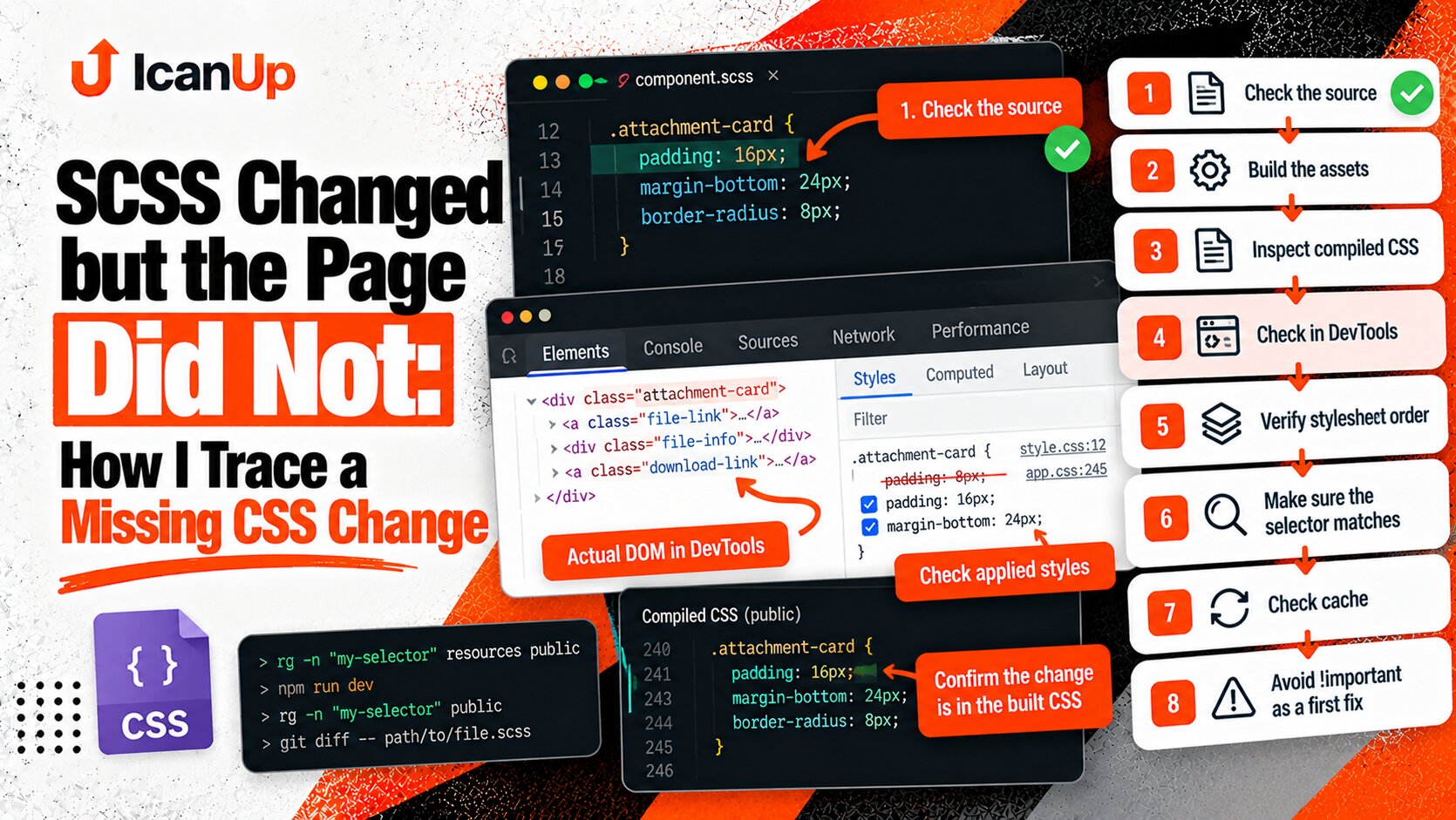
In the ICanUp editor, I opened Media Explorer from a Content Block to select an image and saw a strange layering problem: the modal was open, yet parts of the underlying editor could still render above it.
At first, this looked like a simple z-index conflict.
The obvious reaction is to give the modal an even larger number.
But CSS does not use one global ranking of every element on the page. That is what makes this class of bug much more interesting.
The Symptom Looked Like a Wrong z-index
While Media Explorer is open, it should be the top interactive layer.
The following elements must not appear above it:
- Content Block containers;
- block headers and drag handles;
- block action buttons;
- sticky editor controls;
- dropdowns and toolbars belonging to the page behind the explorer;
- any other UI owned by the background editor.
Once any of those elements renders above the modal, the problem is no longer merely cosmetic.
The interaction hierarchy is broken: the user sees an overlay while the background UI still visually competes with it.
z-index Is Not a Global Ranking
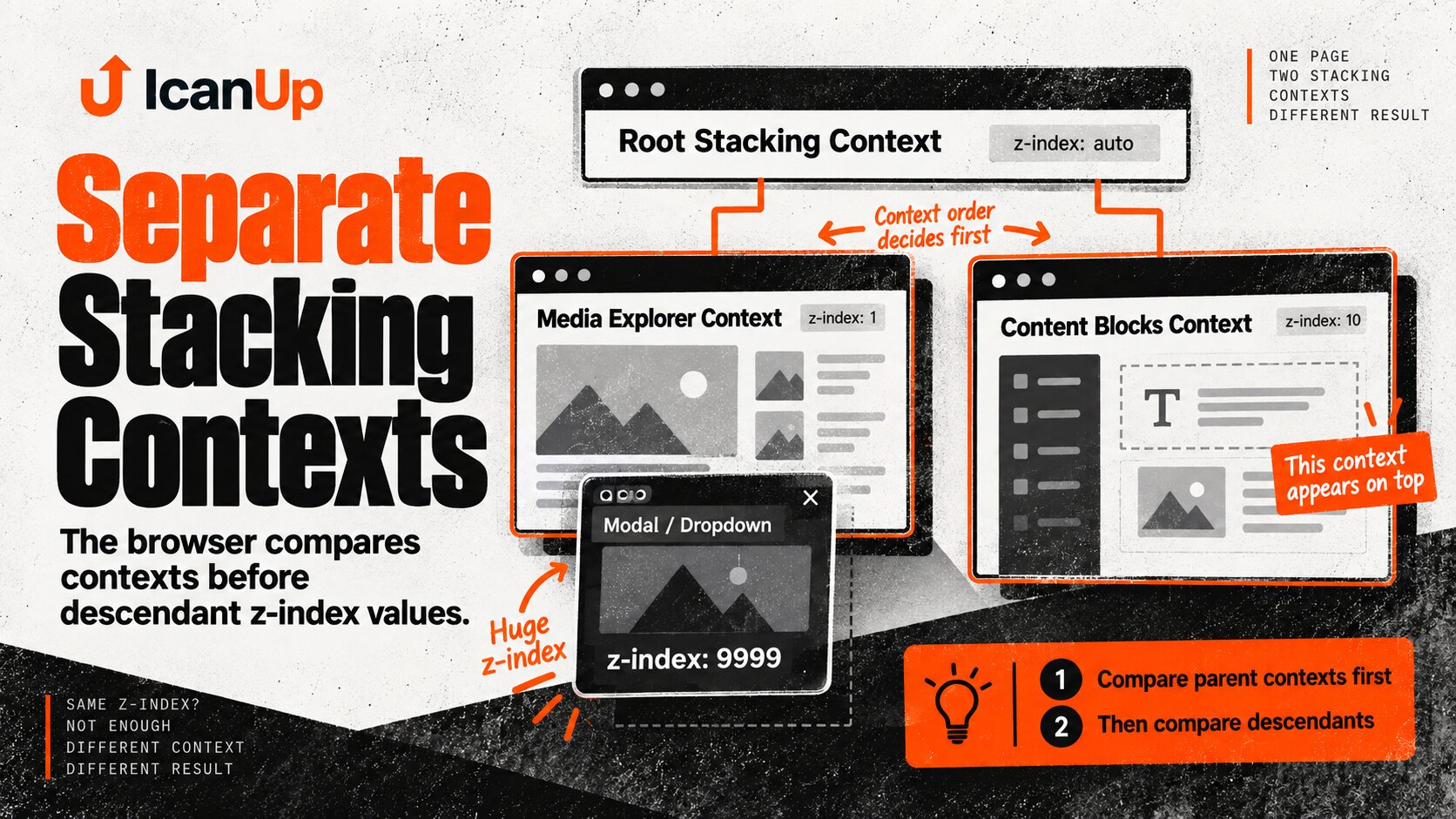
The most important rule is that z-index is evaluated within a particular stacking system.
When two elements belong to different stacking contexts, the browser compares those contexts before comparing their descendants.
<div class="editor"> <div class="content-block"> <button class="block-action">Edit</button> </div></div> <div class="overlay-host"> <div class="media-explorer"> ... </div></div>If .editor and .overlay-host belong to separate stacking contexts, a huge z-index on .media-explorer can remain trapped inside the context created by its parent.
Imagine Two Separate Stacking Contexts
.editor { position: relative; z-index: 20;} .overlay-host { position: relative; z-index: 10;} .media-explorer { position: fixed; z-index: 999999;}It feels intuitive that 999999 should beat 20.
But if .overlay-host already forms a stacking context at level 10, its Media Explorer cannot simply jump over the sibling .editor context at level 20.
root stacking context ├── editor context z-index: 20│ └── Content Block│└── overlay-host context z-index: 10 └── Media Explorer z-index: 999999A child can be the highest element inside its stacking context and still remain below a neighboring context.
z-index Is Not the Only Thing That Creates a Stacking Context
This is why debugging only z-index is not enough.
Several CSS conditions can create a new stacking context.
Property or condition | Why it matters |
|---|---|
| The classic way to create a separate context |
| Can create its own stacking context |
| Also participates in its own stacking behavior |
| Even a visually subtle transform can create a context |
| Isolates descendants inside another context |
| Can also create a stacking context |
| Creates one deliberately |
transform Is Particularly Easy to Miss
In a complex admin interface, transform may not come from an obvious modal animation.
It can be introduced by drag and drop, a transition, a component library, or a tiny rendering optimization:
.editor-section { transform: translateZ(0);}The element may look completely normal, but to the browser it now creates a new stacking boundary.
That is why I inspect not only Media Explorer itself but its entire ancestor chain.
The Entire Ancestor Chain Matters
Media Explorer | vModal wrapper | vEditor component | vLayout container | vAdmin rootAny element in that chain can create a stacking context and constrain every descendant z-index.
The same inspection is needed for the element unexpectedly rendering above the overlay.
DevTools Is More Useful Than Increasing the Number
Instead of repeating 1000 -> 10000 -> 999999, I want to answer a few precise questions first.
- Which exact element is covering the overlay?
- Which stacking context does it belong to?
- Which stacking context contains Media Explorer?
- Which ancestor created each context?
- Which computed styles establish those boundaries?
- Is the overlay mounted high enough in the DOM?
Browser DevTools makes it useful to inspect computed values for position, z-index, transform, opacity, filter, and isolation.
position: fixed Does Not Always Mean the Viewport
There is another trap.
position: fixed is usually associated with the viewport, so it feels natural for modal interfaces.
But certain ancestor properties, especially transform, can change the containing block used by a fixed descendant.
.admin-content { transform: translate3d(0, 0, 0);} .media-explorer { position: fixed; inset: 0;}Seeing position: fixed is therefore not enough. I also need to know where the element is mounted and what its ancestors are doing.
Backdrop and Dialog Should Belong to One Layer
Media Explorer is more than the visible dialog.
At minimum, there are two parts:
Overlay├── Backdrop└── DialogIf backdrop and dialog live at unrelated levels, the result can become even stranger: the background is dimmed while a Content Block action appears above the backdrop or even above the dialog.
I want both parts to form one consistent top-level overlay stack.
A Global Overlay Should Not Be Trapped Deep Inside the Editor
One robust architectural approach for complex modal components in Vue is to render them close to the application root instead of leaving them inside whichever component opened them.
<body> <div id="app"> <!-- editor --> </div> <div id="overlay-root"> <!-- global overlays --> </div></body>In Vue, Teleport is often a useful tool for this.
<Teleport to="body"> <MediaExplorer v-if="isOpen" /></Teleport>I Do Not Want a z-index Arms Race Across Content Blocks
The worst direction after this kind of bug looks like this:
.block-card { z-index: 20;} .block-actions { z-index: 100;} .editor-toolbar { z-index: 500;} .media-explorer { z-index: 999999;}The interface gradually becomes a collection of numbers nobody understands.
The next dropdown gets 1000000, the next modal gets an even larger number, and the original structural problem remains.
What I Want Instead Is a Layer Contract
I want UI layers to have explicit responsibilities.
:root { --z-base: 0; --z-sticky: 100; --z-dropdown: 200; --z-overlay: 1000; --z-modal: 1100; --z-toast: 1200;}The exact numbers matter less than the contract.
What matters is that the interface agrees on the hierarchy:
- normal content lives at the base level;
- sticky controls may sit above content but below a global overlay;
- dropdowns have a known layer;
- modal and backdrop own a global top layer;
- toasts may have their own service layer above dialogs.
Media Explorer Must Be the Top Interactive Layer
The Media Explorer contract is especially simple.
While it is open, the editor behind it should not visually or interactively compete with it.
Media Explorer open Interactive:- Media Explorer dialog- Explorer folders- Explorer files- Explorer internal dropdowns- selection controls Not interactive:- Content Blocks- editor actions- sticky page controls- page dropdowns behind the overlaypointer-events Does Not Fix the Wrong Visual Order
It is possible to disable background interaction with pointer-events, but that solves another problem.
.editor[aria-hidden="true"] { pointer-events: none;}If an element is still visibly rendered above the modal, pointer-events: none does not repair the layering.
It only makes the incorrectly layered element non-clickable.
Overflow Can Produce a Different Class of Visual Bug
Not every modal rendering bug is a stacking-context problem.
Sometimes the symptoms look similar while the overlay is simply being clipped by an ancestor with overflow.
.editor-panel { overflow: hidden;}That is why I separate a few visual symptoms during debugging.
Symptom | Likely direction |
|---|---|
Another element renders above the modal | stacking context / z-index |
Part of the modal is physically clipped | overflow / containing block |
A fixed overlay moves with a container | transform / containing block |
The background remains clickable | pointer-events / backdrop coverage |
The Fix Has to Be Verified Beyond the Post Editor
Media Explorer in ICanUp is a reusable component.
Fixing only the location where it was first noticed in the Post editor would therefore be too narrow.
If the problem belongs to the overlay contract, every editor reusing the component needs verification.
- Post editor;
- Page editor;
- News editor;
- other places using Content Blocks;
- mobile and tablet layouts.
Media Explorer Internal Dropdowns Still Need Correct Layering
Raising Media Explorer itself must not accidentally break layers inside the explorer.
A dropdown inside the dialog needs to appear above dialog content while still remaining part of the overall modal hierarchy.
Global modal layer└── Media Explorer ├── backdrop ├── dialog └── internal dropdownWhat I Verify After the Fix
- No Content Block renders above Media Explorer.
- Drag handles stay below the backdrop.
- Sticky controls remain below the overlay.
- The backdrop covers the intended admin viewport.
- Scrolling does not change the layer order.
- Opening folders does not cause layer jumping.
- Preview and selection controls remain above dialog content.
- Dropdowns inside Media Explorer do not disappear behind the dialog.
- Closing the overlay restores normal editor interaction.
- The same contract works in other editors.
- Mobile layouts do not introduce a separate overlap bug.
Automated Tests Do Not Replace Visual Verification Here
CSS layering is difficult to prove completely with an ordinary unit test.
A focused regression test can still protect an important part of the contract: Media Explorer is mounted in the expected overlay host, the modal uses the correct layer token, and the editor does not introduce another local modal wrapper.
I still verify the actual browser rendering afterward.
What I Do Not Do After This Kind of Bug
- Do not increase z-index blindly before inspecting stacking contexts.
- Do not treat z-index as a global ranking for the whole page.
- Do not inspect only the modal while ignoring its ancestors.
- Do not forget transform, opacity, filter, and isolation.
- Do not scatter arbitrary z-index values across individual Content Blocks.
- Do not use pointer-events as a replacement for correct layering.
- Do not fix a reusable Media Explorer only in one editor.
- Do not forget to verify backdrop, dialog, and internal dropdowns separately.
My Short Checklist for Stacking Context Bugs
- Identify the exact element covering the overlay.
- Determine the stacking context of both elements.
- Inspect the ancestor chain.
- Check position and z-index.
- Check transform.
- Check opacity.
- Check filter.
- Check isolation.
- Check overflow and containing blocks.
- For a global overlay, consider a top-level host or Vue Teleport.
- Use a clear layer contract instead of arbitrary numbers.
- Verify every place where the reusable component appears.
A huge z-index does not make an element globally topmost. First you need to know which stacking context it actually belongs to.
Conclusion
The Media Explorer bug in ICanUp looked like a simple z-index problem, but it is really a problem of CSS layer structure.
If an overlay is trapped inside a local stacking context, a huge number on the dialog itself cannot guarantee that it will appear above a neighboring editor context.
That is why I inspect not only z-index, but also the complete ancestor chain, transform, position, opacity, filter, isolation, overflow, and the actual DOM placement of the overlay.
For a reusable Media Explorer, the better direction is not an arms race of numbers but a clear top-level overlay contract in which backdrop and dialog are guaranteed to sit above the whole editor.
My main lesson is simple: when z-index does not behave as expected, stop increasing the number and start looking for the stacking-context boundary.