
ICanUp Forms Became Part of a Unified Communication Center
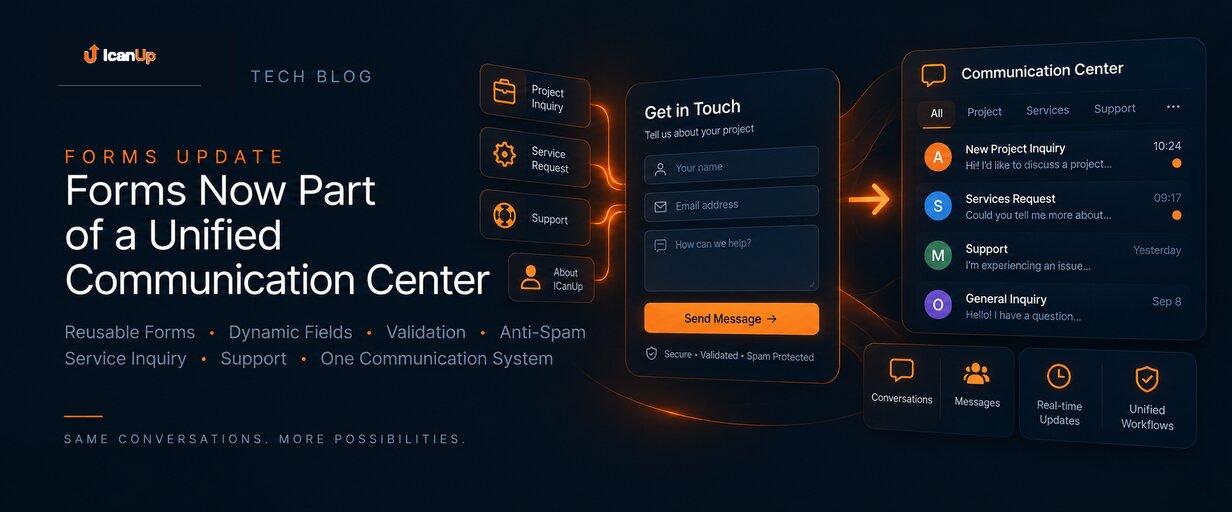
ICanUp gained reusable forms with dynamic fields, server-side validation, and anti-spam protection. The key architectural decision is that form inquiries become conversations and messages in the shared Communication domain instead of a separate inbox.
Once ICanUp gained Services and About pages, the next natural step was allowing visitors to do more than read information and contact the project directly.
Instead of creating several independent contact forms for different pages, ICanUp introduced one reusable Forms architecture.
The same foundation can support project inquiries, service requests, support, and future communication scenarios.
One Form can be reused in multiple places
Reusable Forms
Dynamic Fields
Field Ordering
Two Locales
Forms became standard ContentBlocks
A configured Form can be embedded into any Page through the standard ContentBlock pipeline.
The block stores only a Form reference and presentation configuration. Fields, translations, and validation rules are not copied into every Page.
Updating the Form in Admin therefore updates every place where that Form is used.
Presentation supports controlled variants including a card, a media-and-form split layout, and a background treatment. Field layout and submit button alignment can also be configured at block level.
Submissions are validated on the server
Dynamic Validation
Unexpected Fields Rejected
Anti-Spam Protection
Data Minimization
Submissions enter the shared Communication domain
After successful validation, ICanUp does not create a separate Form-specific copy of the message.
The system creates or resolves the appropriate conversation, while the actual inquiry becomes a Message in the existing Communication domain.
The conversation receives controlled context describing the Form, source Page, locale, visitor context, and inquiry type.
This makes it possible to reuse existing unread state, realtime updates, permissions, and conversation workflows without duplicating them for Forms.
One center for different inquiry types
Project Inquiry
Service Inquiry
Support
Unified List
Context belongs to the conversation
The Communication Center needs to know not only what was written but also where the conversation came from.
A shared source and context contract distinguishes direct chats, form inquiries, service inquiries, support, and other communication scenarios.
The message body is not duplicated, and adding a new source does not require another conversation table or a separate Admin inbox.
The full flow is tested end to end
The Forms feature is tested as a complete flow rather than only as isolated components.
Automated coverage follows the full path: Form configuration → Page embedding → public rendering → validation → submission → conversation → Message → Communication Center presentation.
Guest and authenticated submissions, inactive Forms, abuse protection, authorization boundaries, and the absence of duplicate message storage are covered as part of the integration.